Content Classification for K-12

CIPA Content Filtering

CIPA names three kinds of content a school or library must keep away from minors. It says nothing about how. This page is about the how: the way content actually gets classified into categories, why classifying content beats matching URLs, and how search results, images and video get covered along with pages.

57+ Content categories
120M+ Domains classified
Daily Reclassification cycle
SafeSearch Enforced at the filter
CIPA-Compliant
120M+ Domains
Daily Updates
Millisecond Decisions
Cloud or On-Premise

Filtering content, not just addresses

The URL-List Problem

Early school filters were address books of known-bad URLs. That model fails in a predictable way: the web adds sites faster than any list can record them, and a URL tells you nothing about what actually lives behind it. A domain hosting harmless recipes last year may serve something very different today.

When the obligation is to block classes of content — obscene material, child sexual abuse material, material harmful to minors — the filter has to understand content, not just recognize addresses.

  • Web adds sites faster than any list records them
  • URLs reveal nothing about actual content
  • Site content shifts over time without notice

The Content Classification Answer

Content filtering flips the model. Instead of asking "is this URL on a list?", it asks "what kind of content does this site publish?" and stores the answer as one or more named categories. Policy then operates on categories: block these for elementary students, restrict those for high school, allow the rest.

The result is a filter whose decisions track the actual nature of the material, which is precisely the language CIPA speaks. Our database holds category labels for more than 120 million domains, refreshed daily, with newly registered sites classified as they appear.

  • Decisions track the actual nature of the material
  • Policy operates on categories, not addresses
  • Coverage stays accurate when students arrive tomorrow

This page focuses on that classification machinery. If your question is broader — what the law requires end to end, and how to certify for E-Rate with evidence — that lives on our CIPA-compliant web filter page. The two are companions: that page is the "whether you comply"; this one is the "how the blocking actually works."

How a site earns its categories

Behind the filter sits a classification database covering more than 120 million domains, each labeled with categories from a taxonomy of 57+ — adult content, gambling, weapons, self-harm, malware, education, news, streaming and dozens more. Classification is continuous: categories refresh daily, and newly registered domains are classified as they appear on the web rather than after someone files a report.

Crucially, classification is multi-label. A large platform is rarely one thing — a site can be "Video" and "User-Generated" and "Adult" at once. Single-label filters are forced into crude all-or-nothing calls on exactly the sites students use most. Multi-label classification lets policy respond to the risky facet of a site without pretending the rest of it does not exist.

  • 57+ categories, from the CIPA-critical to the merely distracting
  • Multiple categories per domain, so mixed sites are described honestly
  • Daily updates catch sites whose content shifts over time
  • Day-one coverage of newly registered domains

One domain, honest labels

bigvideosite.example
Categories: Video · Streaming Media · User-Generated · Adult (sections)
Elementary policy: Blocked · High school policy: Allowed, restricted mode enforced
sciencefair.example
Categories: Education · Reference
Every policy: Allowed — education categories stay open by default

SafeSearch: filtering the content inside allowed sites

Here is the trap in domain-only thinking. A search engine is a site every school allows — and an unrestricted image search can put the very content CIPA requires you to block directly onto a student's screen, one thumbnail grid at a time. The domain was fine; the content was not.

That is why serious content filtering software for CIPA-bound schools enforces SafeSearch at the filter rather than hoping devices are configured correctly. Our enforcement pins the major search engines to their restricted modes network-wide, applies the equivalent restricted settings on major video platforms, and blocks the proxy and evasion categories students use to route around all of it.

  • SafeSearch forced on major engines — students cannot toggle it off
  • Restricted modes applied to major video platforms
  • Proxy, anonymizer and mirror categories blocked for student groups
  • Works identically on take-home devices, where evasion attempts peak

Where blocked content sneaks back in

Image search results Video thumbnails Proxy & mirror sites Translation-site workarounds Cached page copies

Each of these routes shows restricted material without ever visiting a restricted site. SafeSearch enforcement plus proxy-category blocking closes the loop — and both ship enabled in our student policy templates.

Categories in, evidence out

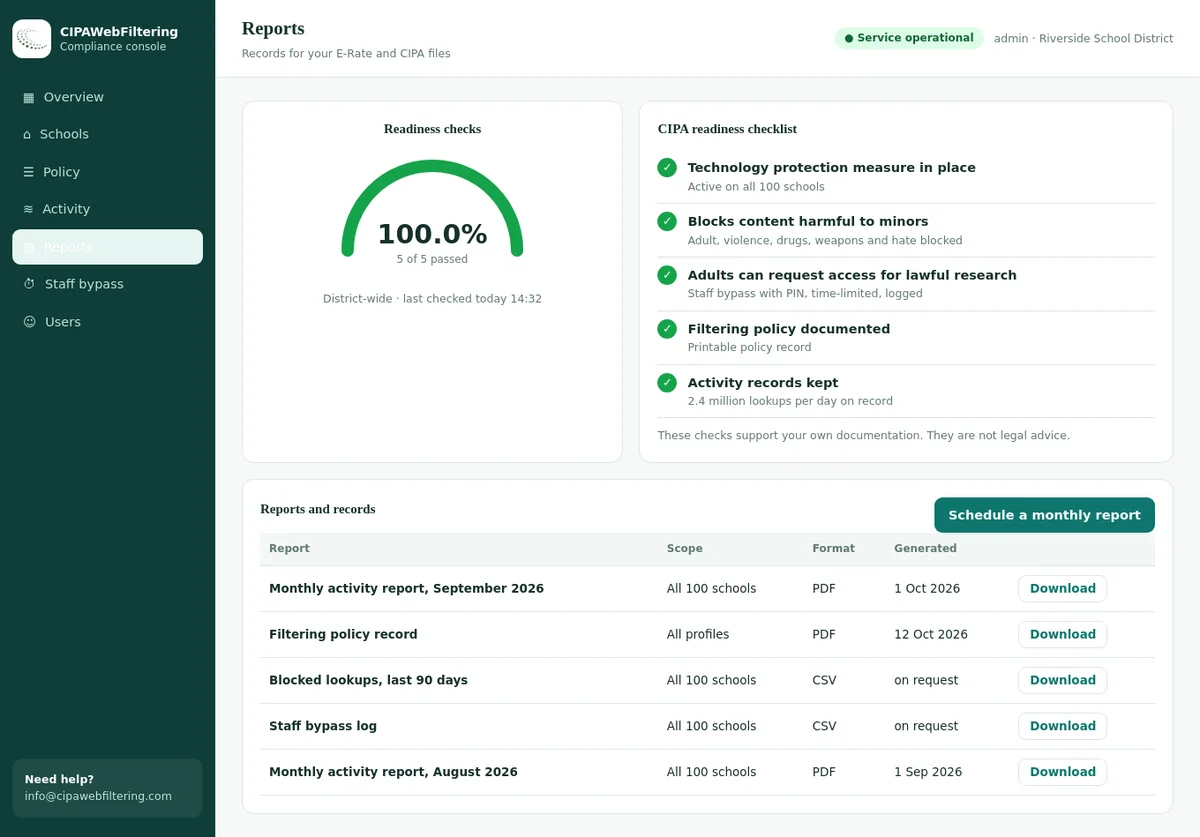
Every filtering decision inherits the vocabulary of its category, and that turns routine logs into usable records. A principal can see attempted visits to self-harm categories by building. A technology director can show the board that adult-content blocks are enforced across all student groups. And when an E-Rate review asks how minors were protected in a past funding year, the answer is a category report, not a forensic reconstruction.

The same content classification travels well beyond one deployment style. Run it as a cloud service, keep it on-premise, or start at the DNS layer — our CIPA-compliant DNS filter for education applies these exact categories at the resolver, which many smaller districts choose for its speed and simplicity. Wherever enforcement happens, the categories and the reporting stay consistent, and pricing scales with what you actually deploy.

  • Category reports by school, grade band and date range
  • Trend views that surface evasion attempts early
  • Exports shaped for board updates and E-Rate reviews

What a monthly category report answers

For the board: which categories were blocked for students, how often, and where — in plain language a non-technical audience follows.
For the auditor: proof the CIPA-mandated categories stayed enforced for minors across the reporting period, with timestamps.

The numbers doing the quiet work

Filtering quality is a data problem before it is a network problem. This is the dataset every decision draws on.

120M+ Domains carrying labels
57+ Categories in the taxonomy
~300K New domains screened daily
ms Per filtering decision

Mapping CIPA's content classes onto real categories

"Obscene," "child sexual abuse material," and "harmful to minors" are legal descriptions, not technical ones. A working cipa content filter has to translate each into concrete, enforceable category rules.

Obscenity → hard-blocked categories

Pornography and related adult categories are blocked for every user group. Because obscene material must be blocked for adults as well as minors, these categories sit outside normal policy editing — there is no toggle a busy administrator can flip by mistake.

CSAM → zero-exception blocking

Domains associated with child sexual abuse material are blocked unconditionally in every configuration, cloud or on-premise. No exception workflow applies to this class; attempts are logged for the district's own follow-up.

Harmful to minors → age-scoped rules

The widest and fuzziest class: sexual content legal for adults but inappropriate for minors. Category rules scoped to student groups handle it — blocked for minors everywhere, while a librarian retains a lawful, documented unblock path for adult patrons.

A quick tour of the categories doing the filtering

Fifty-seven-plus categories sounds abstract until you see how they cluster. These are the groups school policies lean on most — a small sample, but a representative one.

CIPA-Critical

Pornography and adult content, obscenity, CSAM-associated domains. Locked on for minors; the non-negotiable core of any cipa filter.

Safety & Wellbeing

Self-harm, drugs, weapons, violence and hate. Not mandated by the statute, but blocked for students in nearly every district policy we see.

Evasion & Risk

Proxies and anonymizers, malware, phishing, scams. Blocking these protects both the filter's integrity and the district's security posture.

Distraction

Games, gambling, streaming, social networks. Purely local calls — often blocked in elementary, loosened by high school, opened for staff.

AI Tools

Essay writers, homework solvers, image generators, deepfake and companion-chat tools — 16,328+ domains in their own dedicated, daily-updated blocklist.

Learning Core

Education, reference, libraries, science, kids' content. Open by default in every template so the filter never stands between a student and a lesson.

Information

News, government, health and medicine. Kept open — and kept accurately labeled, so health resources are never mistaken for adult content.

Operational

Business, technology, webmail, file sharing. Typically open for staff and scoped for students, with per-group rules doing the fine-tuning.

One Taxonomy, Many Policies

The same categories support very different rules for different people. A kindergarten policy might allow only the learning-core categories; a high-school policy opens news, social and selected AI tools; a staff policy opens nearly everything outside the compliance floor. Because every policy draws on one taxonomy, reporting stays comparable across buildings and the annual policy review is an afternoon, not a semester.

Where districts go beyond the law: most also filter violence, gambling, drugs, self-harm and proxy-evasion categories. CIPA filtering does not demand it, but the same category machinery makes it a checkbox rather than a project — and keeping the legal floor separate from local additions keeps your reporting clean.

The life of one student request

All of this machinery resolves into a decision that takes milliseconds. Here is the full path from click to classroom-friendly block page, content narrowing at each layer like a funnel.

Step 1 — A page is requested

A student on a managed device, on campus or at home, opens a link. The request reaches the filter before any content is delivered, HTTPS included — encrypted traffic is classified by domain, not waved through.

Step 2 — Categories are looked up

The filter pulls the domain's current category set from the classification database — the labels earned by what the site actually publishes, refreshed within the last day.

Step 3 — Categories meet policy

The category set is compared against the policy for that user's group: the always-on CIPA classes first, then the district's own choices for that grade band, building or role.

Step 4 — Allow, restrict, or block

Clean sites load instantly. Search and video sites can load in enforced-restricted mode. Blocked sites show a page naming the category and the reason, so a teacher or parent gets an explanation instead of a mystery error.

Step 5 — The decision becomes a record

Every outcome is logged by category, group and time — the raw material for the monitoring CIPA expects and the category-level reports an E-Rate reviewer may one day ask to see.

Precision Is a Compliance Feature

Overblocking feels safe and is not. When a filter flattens breast-cancer resources, sex-education curricula or LGBTQ support sites into "adult content," teachers stop trusting it, students route around it, and administrators start granting sweeping exceptions that erode the very enforcement the certification describes. The failure mode of a clumsy filter is not embarrassment — it is quiet, unofficial unfiltering.

Precise classification prevents that spiral. Because categories describe what a site actually publishes, a medical reference stays medical, a news archive stays news, and the blocked set stays credible. When a block does need a second look, an administrator sees the named category, checks the classification, and grants a scoped exception in seconds — to one group, one building, or district-wide — without touching the CIPA floor.

New pressure on precision arrives from generative AI. Our bundled AI Tools Blocklist classifies 16,328+ AI-tool domains into 18 categories and 165+ subcategories — separating essay writers and homework solvers from deepfake tools, voice cloning and AI companion chat — so a district can permit instructional AI while blocking the categories that threaten integrity or safety. It is the same philosophy applied to a new corner of the web: classify precisely, then let policy be simple. Our CIPA compliance checklist shows where these choices slot into the wider certification, and the school web filtering overview covers the day-to-day operational side.

Category classification vs. keyword matching vs. URL lists

Districts inherit all three approaches from older products. They are not equivalent, and the differences show up exactly where CIPA cares most.

Behavior that mattersCategory classificationKeyword matchingManual URL lists
Blocks by what content actually is Yes — labels reflect the site's content Guesses from words on the page Only knows addresses
Health & sex-ed pages survive Classified as health/education Notorious for blocking them If someone listed them
Brand-new sites covered Classified on appearance Partially, page by page Unknown until reported
Mixed platforms handled sanely Multi-label per domain Erratic page-level flips All-or-nothing
Explains its decisions Named category per block "A word triggered it" "It was on the list"
Admin workload at district scale Policy rules only Endless false-positive triage Perpetual list upkeep

Content filtering questions we hear from districts

No agency approves filters, so no product can truthfully wear that badge. What a district can verify is capability: does the filter block the three content classes CIPA names, for the right user groups, with records to prove it? Our classification and reporting are built so your own certification — the thing that actually matters — is easy to make honestly.
The legal definition targets sexual content that lacks value for minors even where it is lawful for adults. In practice we map it to a set of adult-oriented categories that are always blocked for student groups. The mapping is visible in your policy, so the district — which owns the legal judgment — can see and document exactly how the standard is being enforced.
Yes. Classification happens at the domain level, which is visible even for encrypted connections, so restricted categories are blocked without decrypting page content. You get enforcement that satisfies an internet web filter CIPA requirement while staying on the right side of student privacy — no interception of the actual reading, typing or grades inside allowed sites.
Two mechanisms cover visual content, which is what CIPA's language is actually about. Sites whose content is restricted are blocked outright by category, and the big open platforms — search engines and video sites — are pinned to their enforced restricted modes so explicit images and videos are filtered out of results students see.
Immediately, from your side: an administrator can add a scoped allow or block exception that takes effect right away for exactly the groups you choose. In parallel, you can flag the domain for reclassification review. Daily database refreshes mean corrections propagate quickly, and your exception keeps the classroom working in the meantime.
Only if you choose to. CIPA does not require blocking social platforms, and pretending otherwise is a sales tactic, not law. Social categories exist in the taxonomy alongside everything else, so a district can block them for middle school, allow them for staff, and revisit the decision without re-architecting anything.
This page explains the mechanism: how content is classified into categories and how those categories become filtering decisions, including search and video. The CIPA-compliant web filter page covers the compliance frame around it — the certification, audits and evidence. Districts usually need both answers; we kept them apart so each stays clear.

Put our classification up against your traffic

Bring a list of the sites your students actually visit — including the awkward edge cases — and watch how they are categorized and filtered in real time.