K-12 Cybersecurity

Malware & Phishing Protection for Schools

The same filter that keeps inappropriate content out of classrooms can quietly do a second job: stopping staff and students from ever reaching the malicious sites that start ransomware incidents. Category-based blocking of malware, phishing and command-and-control domains turns your web filter into the first line of your district's security stack — on the network and on every take-home device.

120M+Domains classified
57+Content & threat categories
DailyDatabase updates
Cloud / On-premDeployment options

Ask any district technology director what keeps them up at night and the answer has shifted. A decade ago it was bandwidth and broken projectors. Today it is the possibility of arriving on a Monday to find grade books encrypted, payroll frozen, and a ransom note where the student information system used to be.

Attackers did not pick education by accident. A district holds years of sensitive records on minors — names, addresses, health notes, family details — that cannot be reissued the way a credit card can. It also runs on lean IT teams, a mix of aging servers and new cloud services, and thousands of accounts held by users whose day job is teaching, not spotting a forged login page.

Meanwhile cyber-insurance carriers have raised the bar. Renewal questionnaires now ask pointed questions about how districts prevent users from reaching malicious sites and what evidence exists that controls are enforced. Malware and phishing protection for schools has moved from a nice-to-have to something boards, auditors and insurers all expect to see documented.

The good news is that most of these attacks depend on the open web at several points. If a click on a malicious link resolves to nothing, the attack chain breaks before any endpoint software has to win a fight. That is the role a security-aware web filter plays, and this page explains how it works.

Know the enemy

The web-borne threats aimed at your district

Nearly every serious K-12 incident touches a malicious domain somewhere along the way. These are the traffic patterns a filtering layer is built to recognize and refuse.

Alert

Phishing sites

Look-alike login pages for email, payroll and student information systems, designed to harvest a teacher's or business officer's credentials in seconds. Blocking the destination makes the lure in the inbox harmless.

Alert

Malware downloads

Compromised or throwaway sites hosting trojanized installers, fake browser updates and poisoned documents. Category-level blocking stops the payload fetch even when the user was convinced the file was legitimate.

Watch

Command-and-control

Once inside, malware phones home for instructions. Cutting off known C2 and botnet domains can leave an implant stranded — installed but unable to receive the order to encrypt or exfiltrate.

Watch

Newly registered domains

Phishing campaigns burn through fresh domains precisely because static blocklists have never heard of them. Our database classifies new domains as they appear, shrinking the window when a brand-new site is trusted by default.

Alert

Credential theft

A single stolen staff password can open email, cloud storage and remote access at once. Most credential theft in schools starts with one click that a web filter could have refused to resolve.

Watch

Ransomware operations

Ransomware is the end of a chain, not the beginning. The stages that precede it — the phish, the dropper, the callback — all cross the web, and each crossing is a chance to stop the incident early.

How category-based filtering becomes a security control

Our filtering rests on a continuously refreshed classification of more than 120 million domains into 57+ categories. Alongside the content categories schools use every day sit security-relevant ones: malware hosting, phishing, botnet and command-and-control infrastructure, and newly registered domains that have not yet earned trust.

When any user — a superintendent on a laptop or a fourth grader on a Chromebook — requests a site, the lookup happens in milliseconds. If the domain carries a malicious label, the request simply never completes, and the event is logged with the category that triggered it.

Because domains carry multiple labels at once, the system handles messy reality well. A hacked school-supply store can be both “Shopping” and “Malware” until it is cleaned up, and the security label wins.

  • Dedicated malware, phishing and C2 categories, refreshed daily
  • New domains classified on appearance, not after the first victim
  • Multi-category labels so compromised legitimate sites are caught
  • HTTPS and encrypted traffic still evaluated at the domain level
A blocked phish, step by step

1. Email arrives: “Your district mailbox will be deactivated — verify now.”
2. Teacher clicks: link points to a domain registered 36 hours ago.
3. Lookup: categories = Newly Registered, Phishing.
4. Result: Blocked — credentials never leave the building.

No security-awareness training was required for this save. The user can fall for the message completely and still be protected, because the destination refuses to load.

Anatomy of an incident

The ransomware kill chain — and where filtering cuts it

A district ransomware event unfolds in stages. The first four each depend on web traffic, which means each one is a choke point where a filter can end the attack before encryption ever starts.

1

A phishing email lands

Mail security catches a lot, but not everything, and one convincing message reaching one busy staff member is enough. The filter's role has not started yet — but the attacker's plan already depends on a link that must resolve.

2

Someone clicks the link

This is the first web-bound choke point. If the destination is categorized as phishing or newly registered, the page never renders, no credentials are typed, and the chain stops here with nothing to clean up.

3

A payload is fetched

Suppose the lure used another channel entirely. The next stage still needs to pull malware from somewhere on the web. Blocking malware-hosting categories stops the download, so there is nothing for endpoint tools to detonate.

4

The implant calls home

Even a machine that got infected off-network must reach command-and-control to receive instructions. Refusing C2 domains strands the implant — and the blocked callback appears in your logs as an early warning worth investigating.

5

Encryption and exfiltration

Only if every earlier stage succeeds does data start leaving or locking. By interrupting the chain at stages one through four, filtering keeps most incidents from ever reaching the stage that makes headlines.

The data underneath

Protection is a coverage problem

A security filter that recognizes only yesterday's threats protects nobody. Ours draws on a living map of the web that grows and re-labels itself every day.

120M+Domains under classification
57+Categories, incl. threat types
DailyRe-classification cycles
Day oneNew domains covered on appearance

Plugs into what you already run

DNS blocklist / RPZ Firewall EDL feeds CSV exports PAC / hosts files API lookups

The categorized data is not locked inside one appliance. Feed malicious-domain categories straight into your resolver as an RPZ zone, into your firewall as an external dynamic list, or query the API from tools you have already built.

A layer, not a rip-and-replace

Districts rarely get to start from scratch, and they should not have to. Security filtering works best as an additional enforcement point layered onto the resolver, firewall and endpoint stack that already exists, all drawing on one consistent view of which domains are dangerous.

DNS-level enforcement is especially attractive for schools because it is cheap to operate and covers every device type that uses your resolvers, including IoT gear and lab machines that cannot run agents. Choose cloud or on-premise deployment — the same database powers both.

The layer that matters most is the one that leaves campus. A district firewall protects nobody at a kitchen table, so policy has to ride along on managed 1:1 devices. Our approach to Chromebook and 1:1 device filtering keeps the same malicious-domain protection active on any network the device joins.

  • One threat dataset enforced at DNS, firewall and device layers
  • Off-campus enforcement for take-home Chromebooks and laptops
  • Works alongside the content policy described in our school web filtering overview
Beyond blocking

Your block log is an early-warning system

Every refused request is a data point. Read together, the logs from a security-aware filter give a small IT team the kind of visibility that normally requires a security operations center.

Infection signals

Repeated blocked callbacks to C2 categories from one device are a loud hint that something is already on that machine. You learn about it from a log line instead of a ransom note.

Campaign spikes

A sudden cluster of phishing blocks across many staff accounts usually means a targeted email wave is underway — time to warn the rest of the district before more messages land.

Clear

Per-building views

Reporting rolls up by building, group and grade band, so you can see whether one campus is drawing unusual malicious traffic and respond locally instead of guessing globally.

Clear

Audit-ready records

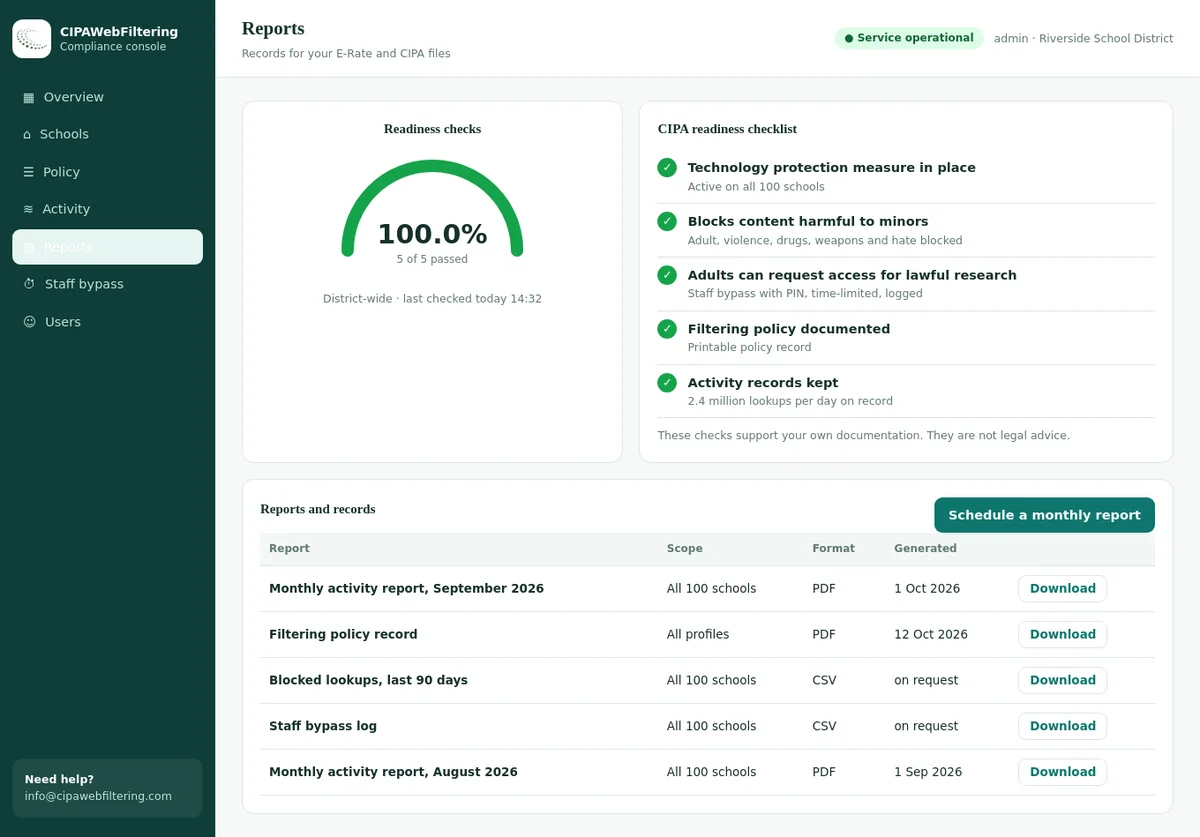
Category-level history doubles as the paper trail for E-Rate reviews, board updates and insurance renewals — proof the control existed and worked on the dates in question.

Why staff credentials are the real prize

Most district breaches do not begin with sophisticated code. They begin with a password, freely typed into a page that looked exactly like the district's own login portal. From there the attacker signs in like any employee, reads email, studies invoice patterns, and picks the moment to strike — no malware required until much later, if at all.

This is why credential phishing deserves its own place in a school security plan rather than being lumped under “spam.” Training helps, and awareness programs are worth running, but they ask hundreds of busy adults to be right every single time. A filter only has to be right about the destination, and it does not get tired during report-card week.

The two approaches reinforce each other. When the filter blocks a phishing page, the block screen itself becomes a teachable moment — the staff member sees exactly what nearly happened. Districts pairing filtering with regular awareness reminders report a virtuous cycle: fewer risky clicks over time, and near-zero damage from the clicks that still occur.

Practical takeaway: assume some phishing emails will always get through, and some people will always click. Design so the click is harmless — that is a destination problem, and destinations are what a categorized filter controls.
Complementary, not competing

Web filtering layer vs. endpoint antivirus alone

Keep your endpoint protection — this is not either/or. The comparison shows why the web layer catches what endpoint tools structurally cannot, and why the two belong together.

ScenarioFiltering + antivirus layeredAntivirus alone
Phishing page asks for a password Page blocked; nothing to detect No malware involved, so nothing fires
Malware download attempt Stopped before the file arrives Must recognize and win after arrival
Brand-new attack domain Flagged as newly registered on day one Signature may lag the campaign
Infected device calling C2 Callback refused and logged Blind if the implant evaded detection
Devices that cannot run agents Covered at the DNS layer No agent, no protection
Evidence for insurers and audits Category-level block reporting Detection logs only, per device

Student data, audits, and the compliance dividend

Districts are stewards of information about children, and that stewardship now extends to where data leaks quietly rather than where it is stolen loudly. Staff pasting rosters into an unvetted web tool, or students feeding personal details into an ungoverned chatbot, moves sensitive information outside your control without a single alarm. The same filtering layer that blocks malicious domains can govern those flows too — our AI tools blocklist for schools exists partly because unmanaged AI sites have become a genuine data-leakage channel, alongside the academic integrity and student safety concerns they raise.

Reporting is where security work becomes defensible work. Category-level logs let you show a board, an auditor or an insurance carrier exactly what classes of dangerous traffic are blocked district-wide, how often blocks occur, and how exceptions are handled. When a cyber-insurance questionnaire asks whether users are prevented from reaching known-malicious sites, you answer with evidence instead of intent.

One protection measure, two duties

CIPA — the Children's Internet Protection Act — requires schools and libraries taking E-Rate discounts to enforce a technology protection measure against obscene content, child sexual abuse material and material harmful to minors, alongside an internet safety policy, monitoring, and student education on safe online behavior. Nothing in CIPA mentions ransomware. Yet the filter you deploy to satisfy it is the same control that blocks phishing and malware categories, which means one deployment discharges a legal duty and a security duty at once.

That dual role matters for budgets as much as for architecture. A superintendent weighing costs is not buying a compliance checkbox and a separate security product; the categorized filtering layer is both. If the compliance side is new territory, our plain-English guide to what CIPA requires covers the obligations in detail, and our pricing page shows what district-wide coverage actually costs.

Questions

What district IT teams ask about security filtering

Yes, and you should keep it. Filtering removes threats before they reach the machine and covers unmanaged devices, while endpoint tools handle what arrives through USB drives, personal email on personal networks, or anything else that bypasses the web. Districts get in trouble by relying on a single layer, whichever layer it is.
Newly registered domains are classified as they appear and the database refreshes daily, so a domain stood up for this week's campaign is already labeled before most victims see the email. Districts can also apply cautious policies to the newly-registered category as a whole, treating very young domains as untrusted until they establish a track record.
Yes. Policy is enforced on managed devices wherever they connect, so a student's Chromebook on home Wi-Fi refuses the same malicious domains it would refuse in the library. Since home networks have none of your perimeter defenses, off-campus hours are exactly when this layer earns its keep.
Encryption hides page content, but the destination domain is still visible at lookup time, and that is where classification is applied. A phishing site is blocked by what it is, not by what it says, so the shift to an almost fully encrypted web does not blind this layer.
It essentially never does, because malicious categories are separate from content categories. A blocked malware label on a compromised but otherwise legitimate site clears once the site is cleaned and re-classified, and administrators can grant a scoped exception in the meantime if a resource is genuinely needed.
Carriers increasingly ask whether you restrict access to known-malicious sites and whether you can prove it. Category-level reporting gives you an affirmative answer with logs behind it. We cannot promise premium outcomes, but districts consistently find these questionnaires easier to complete with filtering evidence in hand.
Both are supported by the same classified database, so the choice is operational rather than a trade-off in protection. Cloud deployment is live quickly with nothing to rack, which suits lean teams; on-premise keeps every lookup inside the district network, which some boards and privacy policies prefer. Plenty of districts start in the cloud and revisit the question later.
Usually it is complementary. Your resolver or firewall is an enforcement point; what it needs is authoritative, current data about which domains are dangerous. Our categorized feeds ship as RPZ zones, EDLs, CSV or API precisely so existing infrastructure gets smarter instead of being replaced.

Close the doors ransomware walks through

See a live walkthrough of malicious-domain blocking against real phishing infrastructure, plus the reporting your auditors and insurers will ask for.