Georgia School Internet Safety Laws: What Districts Owe Beyond CIPA
Georgia has had its own school acceptable use law since 2006, and 2024 and 2025 added a lot on top. Districts now name their filtering technology to the state, restrict social media on school devices and take phones out of K-8 classrooms.
What CIPA requires of Georgia schools and libraries
The federal floor comes first. Any Georgia school or library taking E-Rate discounts for internet access or internal connections must meet CIPA. Background: what is CIPA.
A filter
A technology protection measure that blocks visual depictions that are obscene, child pornography or harmful to minors on computers minors use.
A policy
An internet safety policy covering the five CIPA topics, adopted after reasonable public notice and at least one public hearing or meeting.
Monitoring and lessons
Monitoring of minors' online activity and education on appropriate online behavior, social networking and cyberbullying.
Schools and libraries certify on FCC Form 486 each funding year, and consortium members on Form 479. Read E-Rate and CIPA funding for the certification and audit picture.
A filter Georgia districts can describe in one paragraph
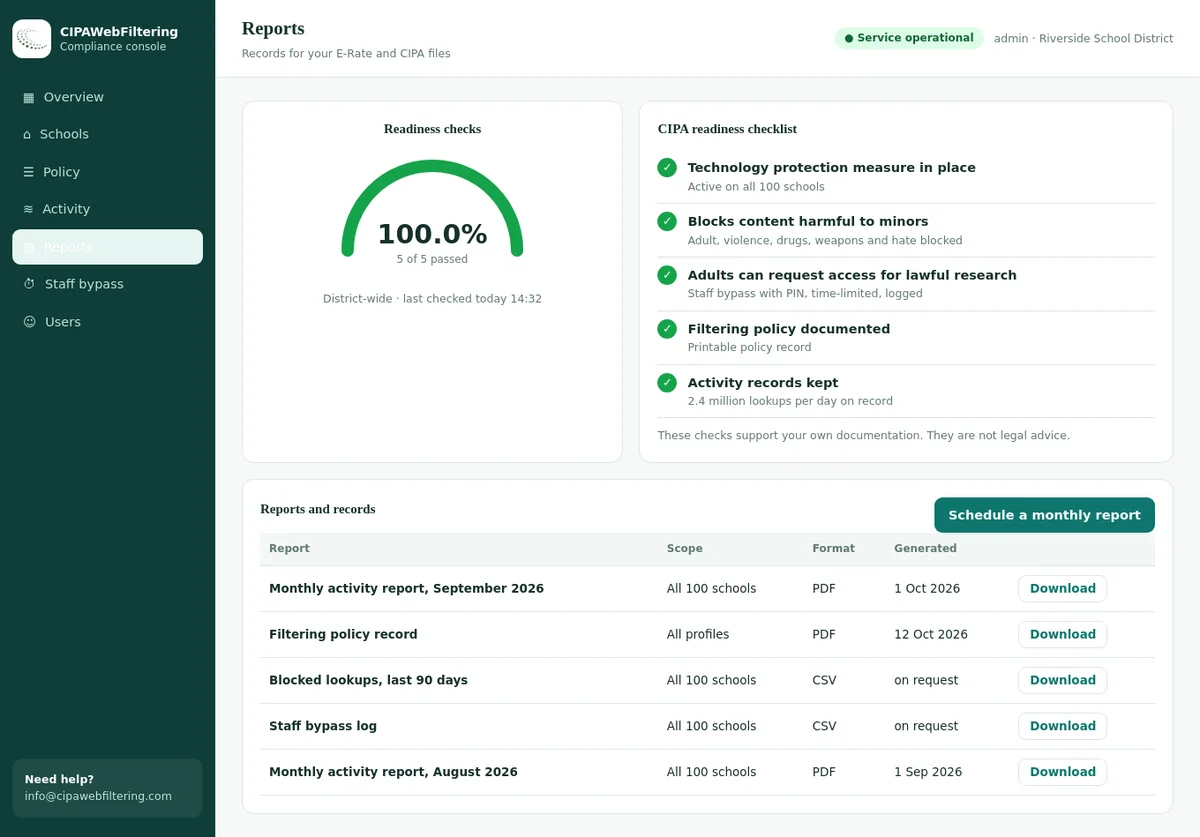
SB 351 asks a board to say which technology blocks harmful material on school equipment. Our hosted CIPA filter is a DNS filter that we operate, so the description is short and the same for every school.
- Category blocks cover Adult and VPN/Proxy/Anonymizers through the CIPA preset
- Social Networking can be switched on for school-issued devices and eased for a supervised lesson
- A policy record and activity reports back up what you tell the state
What Georgia adds: four state laws
Summaries below are in our own words. Georgia Department of Education guidance sets many of the practical details, so check it before you finalise policies.
O.C.G.A. 20-2-324: acceptable use policies
In force since 2006, policies due 1 January 2007Every local board of education must adopt an acceptable use policy for its school system. This is a state requirement whether or not the district takes E-Rate.
"Harmful to minors" is defined by reference to Georgia's criminal code, O.C.G.A. 16-12-100.1.
- Reasonably designed to stop students and employees using school equipment to access or send obscene material, child pornography or material harmful to minors.
- Penalties for willful violations.
- Expedited review when someone claims a block is wrong.
- Enforced with steps the board considers appropriate, such as filtering software or servers that block such content.
SB 351: Protecting Georgia's Children on Social Media Act of 2024
Signed April 2024, effective 1 July 2025SB 351 has two halves. One regulates social media platforms and minors' accounts. The other, which matters here, tightens what local boards must do on school devices and networks.
The platform half was preliminarily enjoined by a federal court in June 2025 and went to appeal. Reports describe the school provisions as outside that challenge; confirm the current position with counsel.
- Updated acceptable use policy that blocks obscene and harmful material on school equipment and lets parents take part in decisions about appropriate access.
- Policy submitted to the state for review, identifying the technology used to block material, such as a web filter.
- State standards for technology protection measures, including tools that let parents supervise school-issued devices used off school property.
- A policy prohibiting student social media on school-issued devices, except supervised, age-appropriate educational use.
- Procedures for parents to ask which social platforms their child reached and to bar specific platforms.
- Cyberbullying updates: parent notification and regular review of technology that helps prevent it.
- State funding can be withheld from districts that do not comply.
HB 340: Distraction-Free Education Act
Signed May 2025, ban in place by 1 July 2026Public schools must bar students in kindergarten through grade 8 from using personal electronic devices during the school day. Reports describe it as bell to bell.
Districts were asked to adopt storage and related policies ahead of the start date. Check GaDOE guidance for the exact deadlines.
- Covers phones, smartwatches, tablets and other internet-capable personal devices.
- School-issued devices are treated separately from personal ones.
- Exemptions for devices required by an IEP, Section 504 plan or medical plan.
- Policies for emergency communication and extracurricular activities.
SB 89: Student Data Privacy, Accessibility, and Transparency Act
Signed 2015, effective 1 July 2016Georgia's student data law covers operators of K-12 websites, online services and apps, plus duties for the state and districts. It is codified in Article 15 of Chapter 2 of Title 20, around O.C.G.A. 20-2-660.
- Operators may not sell student personal information or use it for targeted advertising.
- Operators must keep reasonable security practices.
- The state education agency has a Chief Privacy Officer.
- Parents have rights to inspect their child's education records.
Georgia school internet safety dates at a glance
Dates as reported for each law and its rollout. GaDOE may set later administrative deadlines; always check the current guidance.
What Georgia law means for web filtering and monitoring
Georgia is unusual: your filter is no longer only an internal tool. The state wants to know what technology you use and expects it to meet its standards.
Categories to block for students
Adult Lingerie / Swimsuits / Intimate Apparel Social Networking (school-issued devices) VPN / Proxy / Anonymizers Malware / Phishing / Suspicious Gambling Dating Illegal Drugs Community Sites (review) Forums / Message Boards (review) Streaming Media (review) AI / LLM Tools (by grade)Controls Georgia expects around the filter
- A clear description of the filtering technology for the state submission: product type, where it runs and what it covers.
- Coverage that travels with school-issued devices, plus parent supervision options off campus.
- A supervised exception path for educational social media use.
- Per-student reporting so you can answer a parent asking which platforms their child reached.
- A way to block a specific platform for one student at a parent's request.
- Monitoring that supports cyberbullying prevention, reviewed regularly.
Parent requests and platform-level blocks only work if new social apps are categorized quickly. A database that categorizes about 300,000 newly registered domains daily keeps up with new platforms. Test a site with the domain checker, and read social media filtering for schools.
Which education platforms also carry another category
A supervised educational use of social media is allowed in the Georgia policy, so it helps to know which familiar sites mix purposes. We pulled these from our data.
| Site | Categories in our data |
|---|---|
| youtube.com | Streaming Media, Social Networking |
| kahoot.it | Education/Reference, Gaming |
| quizlet.com | Education/Reference, Webinars/E-learning |
| canva.com | Web-based Applications, AI / LLM Tools |
| brainly.com | Education/Reference, Webinars/E-learning |
| khanacademy.org | Education/Reference |
Parent rights and monitoring data in Georgia
SB 351 gives parents a way into your filter data. SB 89 and FERPA limit how that data is handled. These have to work together.
| Parent request | Where it comes from | What you need | Privacy guardrail |
|---|---|---|---|
| Which social platforms did my child reach? | SB 351 school provisions | Per-student report of Social Networking category hits | Verify the parent's identity and share only that child's data. |
| Please block this platform for my child | SB 351 school provisions | Per-user block rule on school-issued devices | Record the request and the date the rule went live. |
| Can I supervise the device at home? | State technology standards under SB 351 | Parent controls or reports for off-campus use | Explain what the school sees and keeps. |
| Who else sees my child's browsing? | SB 89 and FERPA | Vendor list and data agreements | Limit vendor use, no sale or targeted advertising. |
| Can I see my child's records? | SB 89 and FERPA | Records access process | Decide if logs are part of education records; ask counsel. |
Our guide to student data privacy, FERPA and filtering covers retention, access and when browsing logs count as education records.
Describing your filter for the state submission
SB 351 asks districts to identify the technology they use to block inappropriate material. A one-page technology description makes that easy and keeps it consistent year to year.
How it works
State the method in plain terms: category-based web filtering, DNS filtering, a device agent, a managed browser policy, or a mix of these.
Where it applies
List the networks and devices covered: student Wi-Fi, wired labs, guest networks students can join and school-issued devices off campus.
What it blocks
Name the categories blocked for each group, including the CIPA set and Social Networking on school-issued devices.
Who manages it
Name the role responsible for settings, exceptions and parent requests, and how often settings are reviewed.
How it stays current
Explain how new sites get categorized and how quickly new social and proxy domains are picked up.
Parent supervision
Describe what parents can see or control for school-issued devices used at home, in line with the state standards.
Keep the description at the level of method and coverage. Exact vendor settings change often, and a stable description saves resubmitting every time a rule is tuned.
Keeping a school-issued device filtered when it leaves campus
The state expects protection that travels with school-issued devices. A private encrypted link in our hosted CIPA filter keeps the same rules on laptops and phones away from the network, with no software added to the device.
Georgia scenarios: applying the rules
Worked examples drawn from requests that Georgia school technology teams handle.
A parent asks for a platform history
Verify the parent, pull a per-student report of Social Networking hits on the school-issued device, and send only that child's data. Log the request and the date.
A parent wants one app blocked
Add a per-user block for that platform on the child's school-issued device, confirm it works with a test, and record when it went live.
A teacher plans a social media lesson
Use your supervised exception: name the platform, class and time, and make sure a staff member supervises the session.
A K-8 student needs a phone for a medical plan
HB 340 exempts devices required by the plan. If the phone joins school Wi-Fi, give it a student-grade filter policy and note the decision.
Students use a new proxy site
Check its category; VPN and proxy sites should already be blocked. If not, report it and confirm the block within your next review.
A cyberbullying alert fires
Follow your updated bullying policy: notify parents as required, offer counseling where appropriate and note the technology review.
HB 340 and your network
The K-8 device ban is a classroom rule, but it changes network traffic patterns in ways technology teams should plan for.
What changes
- Fewer personal phones on student and guest Wi-Fi in elementary and middle schools.
- More browsing on school-issued devices, where SB 351 social media rules apply.
- Exempt devices need a defined network and filter policy.
What to do
- Restrict guest Wi-Fi in K-8 buildings to staff and visitors.
- Confirm filtering on school-issued devices is complete and tested.
- Document how exempt devices are handled in your device policy.
Georgia school internet safety compliance checklist
Use this with the federal CIPA compliance checklist. Tags show which law each item comes from.
Evidence to keep for Georgia and E-Rate
Because Georgia can withhold state funds and E-Rate can recover discounts, records matter twice. Keep a folder per school year.
Board-adopted policies
Acceptable use, social media and device policies with adoption minutes.
State submission
What you sent to the state, the date and any feedback received.
Technology description
A short document naming your filter type, coverage and off-campus method.
Filter exports
Blocked categories per group, including Social Networking on school-issued devices.
Parent request log
Platform history and block requests, with response dates.
Exception log
Supervised educational social media use: who, what, when.
Bullying records
Notification steps and the periodic technology review.
Vendor agreements
Data agreements for filtering and monitoring tools.
E-Rate filings
Form 486 or Form 479, plus CIPA hearing notice and minutes.
Matching the Georgia expectations to what our hosted filter covers
The first column lists what a Georgia board has to show. The other two say how we handle it and what stays with the district.
| Georgia expectation | What the hosted CIPA filter does | What stays with the district |
|---|---|---|
| Name the filtering technology | A DNS filter run for you, deciding by domain rather than by page | Writing it into the policy submission |
| Block harmful material | CIPA preset with Adult and VPN/Proxy/Anonymizers on, Lingerie, Gambling and Weapons optional | Choosing the optional categories by grade |
| Social media on school devices | Social Networking is a category switch, with always-allow lists per school for supervised use | Deciding which uses count as educational |
| Reach devices off campus | A private encrypted link keeps the rules on laptops and phones away from the network | Telling parents what the school can see |
| Show it works | Activity reports, a policy record and log export for CIPA files | Keeping the evidence folder current |
| Not a monitoring tool | No reading of messages and no classroom screen view | Cyberbullying review and parent notices |
Georgia school internet safety FAQ
Short answers to what Georgia technology directors ask most.
Does Georgia require schools to filter the internet?
Yes. O.C.G.A. 20-2-324 requires an acceptable use policy reasonably designed to block prohibited material on school equipment, and SB 351 added state review and technology standards.
Does SB 351 ban social media in Georgia schools?
It requires a policy prohibiting student social media access on school-issued devices, with an exception for supervised, age-appropriate educational use.
When does the Georgia K-8 phone ban start?
No later than 1 July 2026, so from the 2026-27 school year, under HB 340.
Was SB 351 blocked by a court?
The platform provisions were preliminarily enjoined in June 2025 and appealed. Reports describe the school provisions as separate; check the current status with counsel.
Does HB 340 cover high schools?
HB 340 covers kindergarten through grade 8. High school device rules remain local decisions unless the law changes.
Do Georgia public libraries have rules too?
Georgia has a separate statute on internet safety policies in public libraries, O.C.G.A. 20-5-5. Libraries taking E-Rate also follow CIPA. See web filtering for libraries.
Does Georgia require a specific filter product?
No product is named in the law. The state sets standards and asks you to identify the technology you use.
Does SB 351 apply to personal phones on school Wi-Fi?
The social media policy duty is written around school-issued devices. The acceptable use policy covers school equipment and services more broadly, so many districts apply the same social media rule to student Wi-Fi as well. Decide locally and write it down.
Can a district lose state money over this?
SB 351 lets the state withhold funding from districts that do not adopt, submit or enforce the required policies or that use measures falling short of state standards.
Is this page legal advice?
No. Confirm with board counsel, current GaDOE guidance and your E-Rate consultant.
Compare with other states
See how Georgia's approach compares with other large states, or revisit the federal basics.
All of our state guides are listed on the school internet safety laws by state page.
Related guides
- What Is CIPA? Children's Internet Protection Act Requirements
- CIPA Compliance Checklist for Schools and Districts (8 Steps)
- Presenting Web Filtering to the School Board: Budget, Risk, Metrics
- South Carolina School Internet Safety Laws: CIPA and 10-1-205
- Alabama School Internet Safety Laws: FOCUS Act and CIPA
The quote depends on how many Georgia schools and devices are involved, and it arrives within one business day. Running a pilot on a single site first shows your team the blocks and the reports before any commitment.
Talk to us about your Georgia district
We can show how category data blocks social media on school-issued devices, supports parent requests and covers CIPA material on and off campus.
Talk to us about your districtNot legal advice. This page summarises Georgia and federal law as we understand it in October 2026. Court rulings, statutes and GaDOE guidance change; confirm with counsel and current official sources before acting.