Virginia School Internet Safety Laws
Virginia is one of the states with its own school filtering duty. Code of Virginia section 22.1-70.2 asks every school board for an acceptable internet use policy and filtering technology, whether or not the division takes E-Rate.
CIPA then adds the federal conditions for E-Rate, and newer state laws cover phones and student data.
Section 22.1-70.2 in brief
- School board approves an acceptable internet use policy
- Policy reviewed, amended if needed and approved every two years
- Technology to filter or block child pornography and obscenity
- Students kept from material the division deems harmful to juveniles
- Penalties for violations and an internet safety part of instruction
What CIPA requires of Virginia school divisions
CIPA applies when a division takes E-Rate discounts for internet access or internal connections. It is certified every funding year on FCC Form 486, or through a consortium lead on Form 479.
Filter
A technology protection measure blocking visual depictions that are obscene, child pornography or harmful to minors on computers minors use.
Policy
An internet safety policy adopted after reasonable public notice and at least one public hearing or meeting.
Monitor and educate
Monitoring of minors' online activities and teaching about online behavior, social networking safety and cyberbullying.
Read the full explanation in what CIPA is and who must comply, and see how certification works in E-Rate and CIPA funding.
A division filter you can review every two years
Virginia makes every school board choose filtering technology and re-approve its policy every two years, E-Rate or not. Our hosted CIPA filter is a DNS filter that we run for you, which means the settings your board approves are the settings in force the next morning.
- Grade-band choices on "harmful to juveniles" become category switches for each school
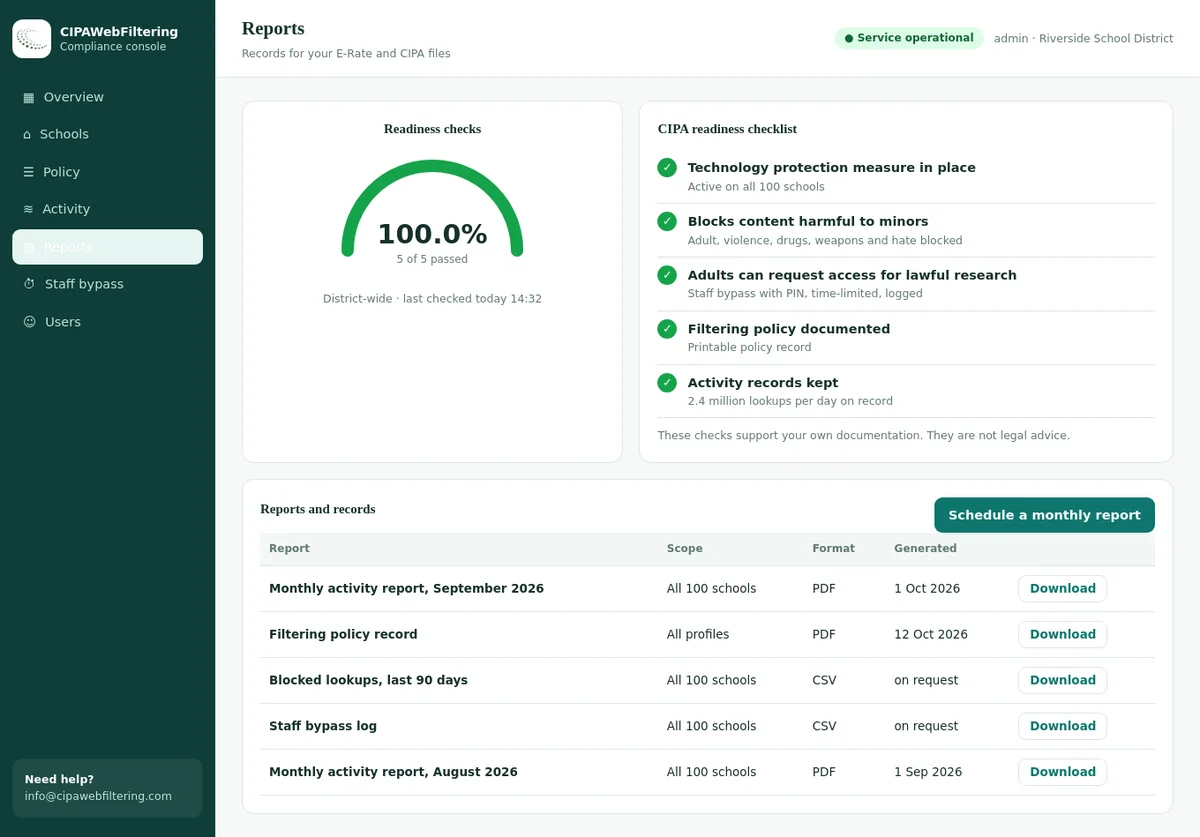
- The policy record and activity reports give the biennial review its two years of facts
- Staff and student devices fall under the same DNS setting, so the rules for employees are not a separate project
What Virginia adds: the statute dossier
Four Virginia laws matter most for school internet safety. The first is a true filtering law. The others shape devices, data and the wider online environment.
Each school board must have an acceptable internet use policy and must review, amend if needed and approve it every two years. At a minimum the policy must:
- Bar employees and students from using division computers and services to send, receive, view or download illegal material.
- Seek to keep students from material the division deems harmful to juveniles.
- Select technology for internet-connected computers that filters or blocks child pornography and obscenity, as defined in the Virginia criminal code.
- Set penalties for policy violations and build an internet safety component into instruction.
For private schools that meet the compulsory attendance rules and accept federal funds for internet access, the principal or chief administrator selects the filtering technology.
HB 1961 and SB 738 of 2025 followed the 2024 executive order on cell phone-free education. From July 1, 2025, each school board had to adopt and implement policies restricting student phone and smart device use from the first bell to the final dismissal bell.
A 2026 amendment was reported to tighten the rule from July 1, 2026, covering breaks and lunch without banning possession. Check the current statute text before updating your policy.
This section sets rules for school service providers and for school technology providers that supply school-issued devices under contract. It defines student personal information and targeted advertising, and requires access to a student's data on request.
District policies built on it bar providers from using student data beyond the contracted service. Filtering and monitoring vendors that receive student data fall inside this frame.
This consumer law asks social media platforms to limit users under 16 to one hour per day unless a parent gives consent to change it. It took effect January 1, 2026, and a federal court granted a preliminary injunction against enforcement in February 2026.
It targets platforms, not schools. Check the current court status before citing it to families.
Key difference from many states: because section 22.1-70.2 is state law, a Virginia division that skipped E-Rate would still need a filter and an acceptable use policy. CIPA adds its own conditions only when E-Rate is involved.
Where Virginia law and CIPA meet
The two laws overlap but are not identical. One policy document can serve both, if it covers the parts each law asks for.
CIPA only
- "Harmful to minors" filter standard for visual depictions
- Public notice and hearing before adoption
- Five policy topics, including unauthorized disclosure of minors' data
- Form 486 or Form 479 certification
Both
- A filter for child pornography and obscenity
- A board-approved written policy
- Online safety taught to students
- Rules for what students may access
Virginia only
- Review and approval every two years
- Rules on employee use as well as student use
- Penalties for violations written into the policy
- Applies even without E-Rate funding
Use our CIPA internet safety policy guide to check the federal topics, then add the state items from the Virginia column.
What it means for filtering and monitoring in Virginia
Virginia's law names the technology duty directly. That makes filter settings and their records a state compliance matter as well as a federal one.
Filter every connected computer
The statute speaks of internet-connected division computers. Include lab machines, library terminals, staff devices and take-home student devices in your plan.
Define "harmful to juveniles" locally
The division decides what it deems harmful to juveniles. Write that into category choices by grade band, so the policy and the filter match.
Make monitoring proportionate
CIPA asks for monitoring of minors. Category reports and alert review meet most needs, while named logs should be limited and kept for a set period.
Categories that map to the legal minimum for students
Categories set by the division's own policy
Our category database covers 120 million categorized domains in 58 categories, with about 300,000 new domains categorized each day. A domain can carry several categories, so a mixed site can be handled precisely. Browse the web filtering categories taxonomy.
Which category our data gives to sites a Virginia policy usually names
The student set above is only as good as the labels behind it. Here are real lookups from our database, with the ones that carry two or three categories shown in full.
| Domain | Categories in our data | Policy line it supports |
|---|---|---|
| pornhub.com | Adult | Obscenity, blocked for every user |
| victoriassecret.com | Lingerie/Swimsuits/Intimate Apparel | A division choice for younger grades |
| gunbroker.com | Weapons | Held back for students |
| bet365.com | Gambling, Sports & Recreation | Gambling switch reaches it despite the sports label |
| reddit.com | Social Networking, Forums / Message Boards, Community Sites | A local decision with three categories to weigh |
| hidemyass.com | VPN / Proxy / Anonymizers | Bypass tool kept out when phones are away |
The phone law and school-issued devices
Virginia's bell-to-bell phone rule reduces personal device use during the day. School-issued devices then carry most student browsing, which puts more weight on their filter.
Cellular traffic
A phone on its own data plan never reaches the division network. The phone policy, not the filter, controls that traffic.
Take-home devices
Filtering that follows the device home keeps the section 22.1-70.2 duty and CIPA certification consistent off campus.
Bypass attempts
With phones put away, some students try proxies on school devices. Keep proxy, VPN and anonymizer categories blocked.
For take-home programs, see how to enforce CIPA on off-campus student devices.
Running the biennial acceptable use policy review
The two-year review is the moment to line up the state policy, the CIPA policy and the real filter settings. A planned review avoids a rushed vote and gives the community a fair chance to comment.
Collect the facts
Export filter settings, unblock requests, monitoring summaries and policy violation records from the past two years.
Compare text with practice
Check that what the policy says is blocked matches what the filter actually blocks for each group.
Hear from teachers
Ask which blocked sites got in the way of lessons and which risky sites got through.
Draft changes
Update category choices, penalties, device rules and the instruction section. Keep the language plain for families.
Public notice and meeting
Give notice and hold the public hearing or meeting CIPA expects before adopting changes to the internet safety policy.
Approve and publish
The board approves the policy. IT applies any new settings, and the signed version goes into the audit file.
What the filter hands over for a biennial review
Month one of your review needs two years of settings and requests, and the policy record plus a log export hold exactly that. Activity reports are by school and category, so the board sees patterns rather than named students.
Building the internet safety component into instruction
Both section 22.1-70.2 and CIPA expect students to learn about online safety, not only to be filtered. Spreading the topics across grade bands keeps lessons age-appropriate.
Elementary
- Telling a trusted adult when something online feels wrong
- Keeping names, addresses and passwords private
- Being kind in messages and games
Middle school
- Social networking safety and privacy settings
- Recognizing and reporting cyberbullying
- Why proxies and unknown apps can be risky
High school
- Judging sources and spotting false information
- Digital footprint and future opportunities
- Responsible use of AI tools under school rules
Keep a simple curriculum map that shows which lesson covers which topic. It doubles as evidence for both the state instruction duty and the CIPA education duty.
Staff, adult patrons and school libraries
Section 22.1-70.2 covers employee use as well as student use, while CIPA lets an authorized person disable the filter for an adult doing bona fide research or other lawful work.
Separate staff policy
Staff policies still block child pornography and obscenity, but can open research categories that stay closed for students.
Documented unblocking
Write down who may disable the filter for an adult, for what purpose and how the request is recorded.
Community use
When adults use school labs after hours, give them a guest policy that still meets the state minimum for division computers.
Public libraries face their own questions, covered in web filtering for libraries.
Virginia school compliance checklist
Tick these off each year, and in full during the two-year policy review. The general CIPA compliance checklist covers the federal steps in more depth.
| Task | Law | Owner | When | |
|---|---|---|---|---|
| Board reviews and approves the acceptable internet use policy | 22.1-70.2 | School board | Every two years | |
| Policy covers illegal material, harmful content, filtering, penalties and instruction | 22.1-70.2 | Policy lead | At each review | |
| Filter blocks child pornography and obscenity on all connected computers | 22.1-70.2, CIPA | IT | Check each term | |
| Student policies block the CIPA "harmful to minors" categories | CIPA | IT | Check each term | |
| Internet safety policy adopted after public notice and hearing | CIPA | Board clerk | When revised | |
| Internet safety lessons placed in the curriculum for each grade band | 22.1-70.2, CIPA | Curriculum | Each school year | |
| Phone and smart device policy matches the current statute | 22.1-79.3:1 | Board, principals | Each school year | |
| Filtering and monitoring vendor contracts limit use of student data | 22.1-289.01 | Procurement | At renewal | |
| Off-campus filter test on sample take-home devices | 22.1-70.2, CIPA | Device team | Each semester | |
| Adult unblocking process for lawful research documented | CIPA | IT, library | When revised | |
| Form 486 or Form 479 filed | CIPA | E-Rate lead | Each funding year |
Evidence to keep
Both the state and federal duties are easier to show with a small, dated record set. Keep these together and update them on the schedule shown.
- Approved acceptable use policy
- Signed version, board minutes and approval date. Every two years
- CIPA hearing record
- Public notice and minutes of the hearing or meeting. When revised
- Filter configuration snapshot
- Blocked categories for each student, staff and guest group. Each term
- Device coverage report
- Share of student devices with the filter active, plus off-campus tests. Each semester
- Monitoring summary
- Sample reports and a note of who reviews them. Monthly or termly
- Internet safety curriculum map
- Lessons and grade bands where online safety is taught. Each school year
- Phone policy record
- Adopted policy, family notice and exceptions process. Each school year
- Vendor data terms
- Contracts and data agreements for filtering and monitoring tools. At renewal
- Violation and penalty records
- How policy violations were handled, kept under your records schedule. Ongoing
- E-Rate certification
- Filed Form 486 or Form 479 and confirmations. Each funding year
For the privacy side of logs and records, see student data privacy and filtering.
Choosing filtering tools that fit Virginia rules
The statute leaves the choice of technology to the division. These questions help compare options against the state and federal duties without favoring any one product type.
Coverage questions
Does the filter work on every connected division computer, including take-home devices? How quickly are newly registered domains categorized, and can one site carry several categories?
Policy questions
Can we set different rules for grade bands, staff and guests? Can a teacher request a scoped unblock, and is each decision recorded with a reason?
Data questions
What student personal information does the vendor receive? Is it used only for the contracted service, as section 22.1-289.01 expects, and how is it deleted?
Divisions that want fewer browsing records leaving their network can run category data inside their own systems. Our database is delivered as files with a lookup API, and the hosted CIPA filter pilot shows the same categories in use.
Section 22.1-70.2 duties compared: a hosted filter and a patchwork
The rows are drawn from what the statute asks a Virginia school board to have in place.
| What the division must have | Patchwork of tools | Hosted CIPA filter |
|---|---|---|
| Filtering technology on connected computers | Software on some machines, firewall rules on others | One DNS setting per building, nothing installed on the computers |
| Student protection from material it deems harmful | Block lists that follow whoever last edited them | Category switches set by school, with the CIPA preset as a start |
| Rules covering employees as well | A second configuration for staff | Separate settings per school, plus a logged PIN bypass for adult research |
| Take-home student devices | Coverage ends at the school gate | A private encrypted link keeps the rules on the device |
| Proof for the two-year review | Exports collected in a rush | Activity reports, policy record and a log export |
| Bypass tools when phones are away | Chasing new proxy sites | VPN/Proxy/Anonymizers blocked as a category |
Virginia school internet safety FAQ
Does Virginia have its own school internet filtering law?
Yes. Section 22.1-70.2 requires an acceptable internet use policy and technology that filters or blocks child pornography and obscenity on division computers, whether or not the division takes E-Rate.
How often must the policy be reviewed?
The school board must review, amend if needed and approve the acceptable internet use policy every two years.
Does the Virginia filtering law apply to private schools?
For a private school that meets the compulsory attendance rules and accepts federal funds for internet access, the principal or chief administrator must select filtering technology for child pornography and obscenity.
What does the Virginia phone law require?
Section 22.1-79.3:1 required school boards to adopt policies restricting student phone and smart device use from first bell to dismissal, from July 1, 2025. A 2026 amendment was reported to tighten it, so check the current text.
Does the social media time limit law apply to schools?
No. SB 854 targets social media platforms through consumer data law. A federal court enjoined enforcement in February 2026, so check its status.
Is a filter alone enough to meet section 22.1-70.2?
No. The statute also asks for a board-approved policy, rules on illegal and harmful material, penalties for violations and an internet safety part of instruction. The filter is one element of that package.
Does a division without E-Rate still need CIPA paperwork?
CIPA certification is tied to E-Rate, so a division outside the program does not file Form 486. The Virginia statute still applies, which is why most divisions keep one policy that covers both.
Should we block AI tools under Virginia law?
Neither section 22.1-70.2 nor CIPA names AI tools. Treat them as a local policy choice: many divisions allow approved tools for older students and staff, and keep the rest blocked by category.
Does our filter need to cover staff computers?
Section 22.1-70.2 refers to the division's internet-connected computers and to employee use, so staff devices belong in the plan. Staff policies can be broader than student policies.
Other state school internet laws
See all state guides on our school internet safety laws by state page, grouped by type of rule.
Related guides
Pricing is based on the number of Virginia schools and devices in your division, and our quote comes within one business day. A pilot on one site shows the blocks and reports to your board before the next two-year approval.
Talk to us about your Virginia division
Tell us how many devices you manage and when your next policy review is due. We will show how our category coverage and the hosted CIPA filter pilot support both state and federal duties.