How to Block Instagram on School Chromebooks
Blocking Instagram looks like a one-line change. In practice, admins run into shared Meta infrastructure, the Android app, link previews and take-home use. This guide works through the eight questions district IT teams ask, in the order they usually come up.
Why do schools block Instagram on student Chromebooks?
Instagram combines public posting, private messaging and an algorithmic feed of photos and short video. Each part is manageable on its own; together they are hard to supervise on a device a student carries all day.
Direct messages
Private messages open contact with people outside school, which is where most safety reports start.
Wellbeing and comparison
Image-centered feeds are linked by many educators and parents to pressure about appearance and popularity.
Peer conflict
Comments, tags and fake accounts are common routes for bullying that spills into the school day.
Short video
The short-video feed competes with lessons in the same way other video apps do.
Age limits
The platform sets a minimum age of 13. Elementary and many middle school students are below it.
Policy and law
Board policy, your internet safety policy and in some states a statute already limit social media on school internet.
What a school Instagram block does not do
- It does not read or monitor students' Instagram accounts or messages.
- It does not affect family phones, tablets or computers.
- It does not delete accounts or posts a student already has.
- It does not replace teaching students how to use social media safely.
Saying this plainly in staff briefings and family messages prevents most of the confusion that follows a new block.
CIPA
CIPA does not name any platform. It requires filtering of obscene and harmful-to-minors images, and a safety policy that addresses minors' direct electronic communication.
E-Rate education
Schools certifying CIPA must teach appropriate online behavior, including on social networking sites and cyberbullying awareness.
States
Some states require districts to restrict student social media on school internet, for example Florida's HB 379 of 2023. See our New York school internet safety laws and California school internet safety laws overviews.
Catch Instagram viewers and sister apps without a longer list
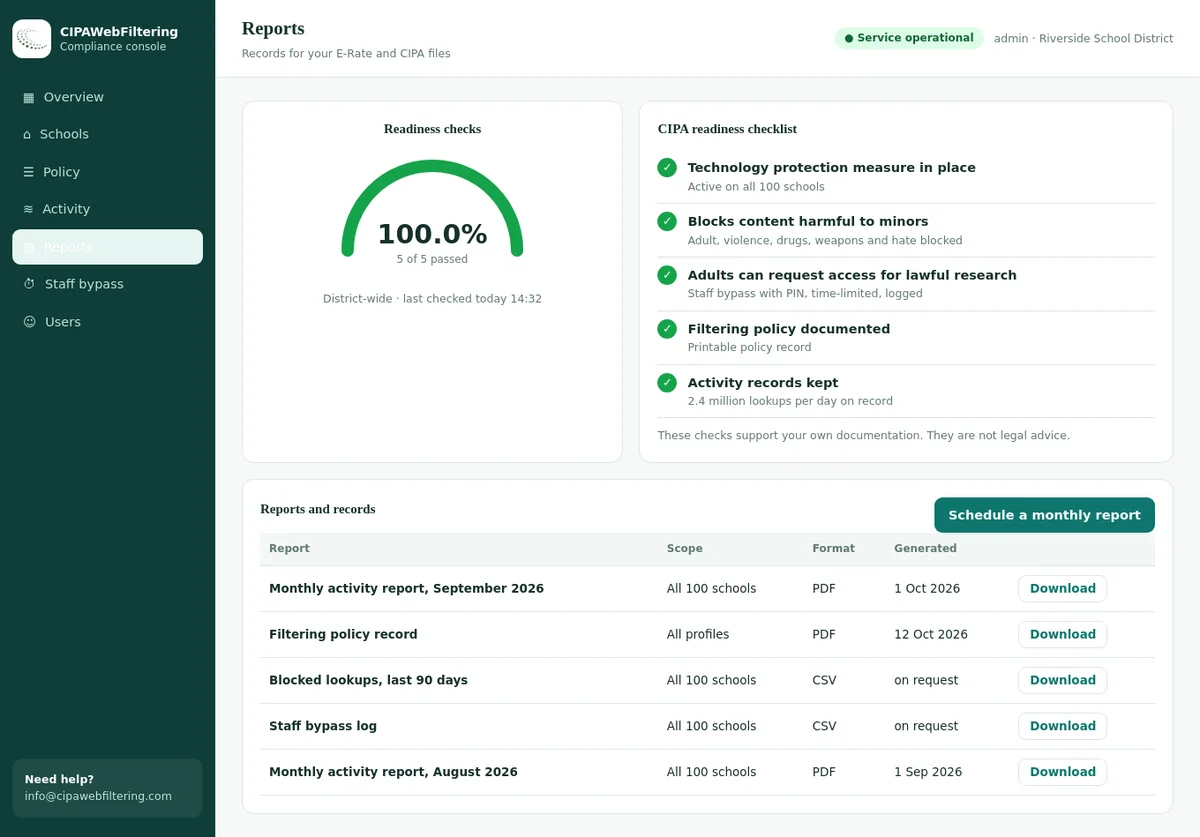
The hosted CIPA filter is the DNS layer that we run for your schools, and it works from categories rather than from the hostnames you remembered to type. Switch Social Networking on for a school and Instagram, its anonymous viewer sites and neighbouring apps follow the same rule.
- The Android app and the website both resolve through DNS, so one setting reaches both.
- Each school or branch keeps its own switches, so the communications office is not locked out by accident.
- Nothing runs on the Chromebooks, and edits apply to every device in seconds.
Which Instagram domains should we block?
Instagram's own domains are straightforward. The complication is that much of its media shares delivery infrastructure with Facebook, so you need to decide how far the block should reach.
Instagram only
instagram.comcdninstagram.cominstagr.amig.meSite, media delivery and short links.
Shared with Facebook
fbcdn.netMeta's delivery network. Blocking it affects both platforms and their embeds.
Facebook only
facebook.comNot needed for an Instagram block. A separate decision.
| Domain | Role | Block for students? |
|---|---|---|
instagram.com | Website, sign-in, web feed and messages | Yes |
cdninstagram.com | Images and video for Instagram | Yes |
instagr.am | Older short link domain | Yes |
ig.me | Short links that open profiles and messages | Yes |
fbcdn.net | Shared media delivery for Meta platforms | Only if Facebook is also blocked |
Embeds and link previews
Embedded posts
News and school sites often embed Instagram posts. With the Instagram domains blocked, the surrounding page loads and the post area stays empty.
Link previews
Chat tools and documents may show a preview image for an Instagram link. Previews fetched by another service can still appear; the link itself stays blocked.
School accounts
If your school posts announcements on Instagram, students will not see them on school devices. Mirror important news on your website.
What the category data says about the Instagram neighbourhood
Two viewer sites that replay Instagram profiles sit in the same category as the app itself. The short link domain ig.me is filed differently, which a hand-made list would never reveal.
| Domain | Category in our data | What it is |
|---|---|---|
| instagram.com | Social Networking | The website and web feed |
| threads.net | Social Networking | Sister text app |
| picuki.com | Social Networking | Profile viewer site |
| imginn.com | Social Networking | Another viewer site |
| ig.me | Advertising/Marketing | Short links into profiles and messages |
How do we block Instagram in the Google Admin console?
The URL blocklist applies to Chrome for school accounts on enrolled Chromebooks, in school and at home. Set it on student units only.
Before you start, write down which units get the block and whether any staff unit inherits from a student unit. Five minutes of planning here avoids the most common mistake: a block that silently reaches the communications office, or misses one school whose unit overrides the district list.
Pick the student unit
Select it in the left panel before editing. Changing the top-level unit would reach staff, including the communications team.
Add the Instagram domains
Enter the Instagram-only domains from Q2, one per line. Add the shared delivery domain only if Facebook is blocked too.
Check override units
A child unit that overrides URL blocking replaces the parent list. Add the entries there as well.
Save and record
Note the date, unit and reason. Devices apply the change when they next fetch policy; some changes need a Chrome restart.
Related settings to set at the same time
| Setting | Student value | Why |
|---|---|---|
| Incognito mode | Disallowed | Keeps browsing under policy and in logs |
| Guest mode | Disabled | Removes a session without user policy |
| Sign-in restriction | School domain only | Stops personal accounts bypassing policy |
| Chrome Web Store | Approved extensions only | Stops proxy and viewer extensions |
| DNS-over-HTTPS | Set by the district | Stops a switch to an outside resolver |
What about the Instagram Android app on Chromebooks?
Android apps on ChromeOS do not reliably follow the Chrome URL blocklist. If students can install the Instagram app, it may keep working after the web block. App control is a separate step.
Approved apps only
Choose the mode where students can install only apps you approve. This stops Instagram and similar apps in one setting.
Or block by name
If a unit allows open browsing of managed Google Play, add the Instagram app and its lighter versions to the blocked list.
Clean up installs
Apps installed before the change may remain. Check device app reports and force-install lists.
If some units must keep open access to managed Google Play, for example a high school media class, document why and review that choice each term. Open access is where unexpected social and VPN apps come from.
Which filtering categories cover Instagram and similar apps?
Named blocks stop Instagram. Category filtering stops the next app students move to, the viewer sites that replay Instagram content and the proxies used to reach it.
| Category | Elementary | Middle | High school |
|---|---|---|---|
| Social Networking | Block | Block | Block in school hours or always |
| VPN / Proxy / Anonymizers | Block | Block | Block |
| Community Sites | Block | Review | Allow and log |
| Lingerie/Swimsuits/Intimate Apparel | Block | Block | Block |
| Dating | Block | Block | Block |
| URL Shorteners | Review | Allow and log | Allow and log |
Several of these are in the CIPA-relevant set because image-heavy platforms are a route to content that is harmful to minors. Our database covers 120 million domains in 58 categories, with about 300,000 new domains categorized each day, so look-alike and viewer sites are labeled soon after they appear.
Does the Instagram block work off campus?
It depends on where the block lives. Settings tied to the school account and the device go home with the Chromebook. Settings tied to the school network do not.
| Control | At school | Home Wi-Fi | Phone hotspot |
|---|---|---|---|
| Admin console URL blocklist | Yes | Yes | Yes |
| Google Play app control | Yes | Yes | Yes |
| Filtering extension with categories | Yes | Yes | Yes |
| DNS filter set on the device | Yes | Yes | Yes |
| School firewall or network DNS | Yes | No | No |
School hours only, or always?
Always blocked
Simplest to explain and test. The school device is a learning tool at every hour. Most common for younger grades.
School hours only
Needs a filtering service with schedules, because the Admin console URL list is not time based. Publish the exact hours.
Mixed by grade
Always blocked for elementary and middle, school hours for high school. Requires careful unit design and clear communication.
How do students try to bypass an Instagram block?
The attempts follow a predictable path, from the easiest trick to the most effort. Plan a control for each stage and you rarely need to react to individual sites.
Viewer sites
Sites that show public profiles and stories without signing in. Category filtering groups them with social or proxy sites.
Web proxies
Pages that load any site through their own server. Block the proxy category for every student unit.
VPN tools
Extensions and Android apps that tunnel traffic. Approved-only extensions and apps stop installs.
Another account
A personal Google account or guest session. Restrict sign-in and disable guest mode.
Filter logs show which stage students reach. A cluster of proxy attempts from one school after a block goes live is common, and it often drops off once students see the workarounds fail. Watch the trend rather than single events.
Viewer sites and anonymizers are covered by categories
VPN / Proxy / Anonymizers is a category you can leave on for every student, and public encrypted DNS is blocked by default. A staff member who needs a page for a lesson gets a PIN bypass of 15, 30 or 60 minutes that is logged and switches back.
How do we test the block and explain it to parents?
Test with a student test account on an enrolled Chromebook in the same unit as students. Then tell families what changed before they find out from their children.
Test checklist
- At
chrome://policy, reload and confirm the Instagram entries show status OK. - The Instagram home page and a profile link show the block page.
- A short link to a post shows the block page.
- A news article with an embedded post loads, but the embed does not.
- The Instagram app cannot be installed from the Play Store.
- A viewer site and a proxy from your test list are blocked.
- The same checks pass on a home network.
- A communications staff account can still reach the school's account.
A simple rollout order
| Step | What happens | Who |
|---|---|---|
| 1 | Confirm the decision, units and hours with school leaders | Technology director |
| 2 | Apply settings to a test unit and run the checklist | Chromebook admin |
| 3 | Send the family message a few days ahead | Communications lead |
| 4 | Apply to student units outside lesson time | Chromebook admin |
| 5 | Review logs and teacher feedback after one week | IT team |
Message for families
From Monday, Instagram will be blocked on school-issued Chromebooks for student accounts, at school and at home.
The change follows our internet safety policy, which limits social media on school devices. It does not affect family phones or computers.
Students will cover social media safety in a digital citizenship lesson this term. Please contact the school office with questions.
Be specific
Name the devices, accounts and hours the block covers.
Name the basis
Point to board policy or state law so the decision does not look arbitrary.
Offer a route
Give one contact for questions and one for teacher requests.
Instagram on the Chromebook: Admin console alone or with a hosted filter
The console settings stay useful, and the table shows what a DNS filter adds on top of them.
| Situation | Admin console only | Plus the hosted CIPA filter |
|---|---|---|
| Viewer and mirror sites for Instagram | Added one by one after someone reports them | Covered by the Social Networking switch |
| Android app on managed devices | Needs app control as a separate step | Blocked by the same DNS rule |
| Threads and other Meta apps | Another list entry each | Same category switch |
| School-owned phone or lab PC on Wi-Fi | Not reached by Chrome policy | Filtered through the router DNS setting |
| Communications team access | A separate organizational unit | Per-school settings and a logged PIN bypass |
| Showing the board it works | Screenshots of policy pages | Activity reports and a policy record |
More Instagram blocking questions
What domains block Instagram on a school Chromebook?
Block instagram.com and cdninstagram.com for the student unit, plus the short link domains instagr.am and ig.me. Decide separately whether to block Meta's shared delivery network, because it also affects Facebook.
If I block Instagram, does Facebook still work?
Yes, if you block only Instagram domains. If you also block the shared delivery network, Facebook pages and embeds break too. Many districts block both for students anyway.
Do Instagram teen account settings replace a school block?
No. Platform teen protections help at home but depend on each student's account details. A school device needs controls the district sets and can test.
Can the school block Instagram on students' phones?
Only while phones are on the school network and use your filtered DNS or gateway. On mobile data, phones are outside network controls.
How do I let the communications team post to the school's Instagram?
Keep communications staff in their own organizational unit without the block. Never add an exception to a student unit for this.
Why does Instagram still load for one student?
Check the student's unit, configuration groups, enrollment and whether the Android app is installed. Then reload policies on the device.
Does blocking Instagram also block Threads?
Threads is a separate service with its own domain, though it uses Instagram accounts for sign-in. Blocking Instagram may affect sign-in, but block Threads by its own domain or by the Social Networking category if you want it covered.
Should we block Instagram for teachers?
Usually not by default. Some teachers follow museums, scientists or authors there for lesson ideas. Follow board policy on staff social media use, and keep staff in units separate from students.
Can we allow one educational Instagram account for a class?
The URL list cannot open one profile reliably without opening the platform. Show the content from a staff account on the classroom display, or save the material to your learning platform.
How often should we review the Instagram block?
Review once a term alongside your other filter checks, and after major ChromeOS or Admin console changes. Re-run the test checklist each time.
Pricing follows the number of schools and devices, and we send the quote within one business day. A pilot on one site lets you see how the Instagram block and its reports behave before you commit.
Stop chasing social media domains by hand
We help districts add category-based filtering behind managed Chromebooks, so social platforms, viewer sites and proxies stay covered as new domains appear.
Instagram and Facebook are trademarks of Meta Platforms, Inc. Google, Google Admin console, Chrome, ChromeOS, Chromebook, Google Play and Android are trademarks of Google LLC. These names are used here only to identify the products discussed. CIPAWebFiltering.com is not affiliated with, sponsored or endorsed by Meta Platforms, Inc. or Google LLC.