Arkansas School Internet Safety Laws
Arkansas is one of the states with its own school filtering statute. Since 2001, Ark. Code 6-21-107 has required every school board to run a system that blocks material harmful to minors on public access computers.
In 2025 the Bell to Bell, No Cell Act took personal phones out of the school day. Here is how both fit with CIPA.
What CIPA requires of Arkansas schools
CIPA applies to schools and libraries that take E-Rate discounts for internet access or internal connections. Each funding year, the school certifies compliance on FCC Form 486, or a consortium member certifies on Form 479.
Protection measure
Blocks or filters visual depictions that are obscene, child pornography or harmful to minors on computers minors use.
Safety policy
Covers inappropriate material, email and chat safety, hacking, disclosure of minors' data and restricting harmful materials.
Public meeting
Adopted after reasonable public notice and at least one public hearing or meeting.
Monitoring and teaching
Monitoring minors' online activity and teaching online behavior, social networking safety and cyberbullying awareness.
See what CIPA is and who must comply for the full federal picture.
Cover every public access computer without a second system
Arkansas boards answer to CIPA for E-Rate and to 6-21-107 for every public access computer, whether or not E-Rate is involved. Our hosted CIPA filter puts one set of category rules behind both, and you read the result in a single console.
- Adult and VPN/Proxy/Anonymizers are on in the CIPA preset
- Optional categories such as Gambling and Weapons are yours to switch on
- Media centers and labs get their own settings if the board wants them different
Ark. Code 6-21-107: Arkansas's school filter statute
Arkansas passed this law in 2001, the same period CIPA took effect. Unlike CIPA, it is not tied to E-Rate. It is a duty on every school district board, summarized here in our own words.
The policy
Each board adopts a written policy on student and staff use of district-owned computers. The policy must provide for a system that blocks access to material harmful to minors on all public access computers in the district.
The agreement
Before a student may use a public access computer, the student signs a computer use agreement that describes proper and improper use of the equipment.
The penalties
The policy sets penalties for violations, with stronger penalties for repeat offenders, and those penalties become part of the student discipline policy.
Key definitions
- Harmful to minors: takes its meaning from Ark. Code 5-68-501, the state criminal code definition.
- Public access computer: a computer in a public school or public library that a minor can reach and that is connected to the internet or a similar network.
- Who adopts: the board of directors of each school district.
How it differs from CIPA
- Applies whether or not a district takes E-Rate.
- Requires a signed student agreement before use, which CIPA does not.
- Ties penalties into the student discipline policy.
- Uses the state definition of harmful to minors, alongside the federal CIPA terms.
The student computer use agreement, step by step
The signed agreement is the part of 6-21-107 that touches every student. A clean process keeps it from turning into a pile of paper nobody can find.
Write it plainly
Describe proper and improper use in words students can follow, with age-appropriate versions.
Collect before access
Students sign before they use a public access computer, often at enrollment or device handout.
Link to discipline
State the penalties and the stronger penalties for repeat violations, as written in the discipline policy.
Store and find
Keep signed agreements in the student information system so you can show one on request.
For model wording, see our acceptable use policy guide for schools.
Bell to Bell, No Cell: Act 122 of 2025
Senate Bill 142 became Act 122 in February 2025, sponsored by Sen. Tyler Dees and Rep. Jon Eubanks. Schools began enforcing it in the 2025-2026 school year.
Who must act
Every public school district and open-enrollment charter school adopts a written policy on personal devices during the school day.
When it applies
Bell to bell, which district guidance reads as covering lunch, recess and passing periods too.
Devices
District policies commonly list phones, smartwatches, tablets, earbuds and gaming devices that the school did not issue.
Exceptions
The act requires exemptions for health reasons, IEP or 504 plans, extracurricular activities and emergencies.
Enforcement
A district that fails to adopt or enforce a policy can be cited under state accreditation standards.
School devices
School-issued learning technology is outside the personal device rule and stays under the district filter.
Student data privacy: Ark. Code 6-18-109
Arkansas passed its Student Online Personal Information Protection Act in 2015, as HB 1961, and amended it in 2017. It governs operators of websites, online services and apps used for K-12 school purposes.
What is protected
- Covered information is personally identifiable information about a public school student
- That includes data a student or parent gives the operator
- Data school staff provide, and data the operator gathers that identifies a student
What operators may not do
- Use covered information for targeted advertising
- Further limits on profiling, sale and disclosure apply; check the current statute text for the full list and exceptions
Filtering and monitoring products hold usernames tied to browsing records. Our guide to student data privacy, FERPA and filtering covers the questions to ask.
What Arkansas law means for filtering and monitoring
Arkansas districts answer to two filter duties at once: CIPA for E-Rate and 6-21-107 for every public access computer. The settings below meet both.
| Requirement | Source | Filter setting | Process |
|---|---|---|---|
| Block material harmful to minors on public access computers | 6-21-107 | Adult and related categories blocked on every student-reachable device and network | Board policy adopted and current |
| Block obscene, child pornography and harmful to minors images | CIPA | Same core categories for every student group | Public notice and hearing on file |
| Signed agreement before use | 6-21-107 | Network access tied to accounts with a signed agreement | Agreement stored per student |
| Stop bypass of the blocking system | 6-21-107, CIPA | VPN / Proxy / Anonymizers and Remote Access Tools blocked | Repeat-violation penalties in discipline policy |
| Phones out of use all day | Act 122 | Student Wi-Fi closed to personal devices | District device policy and storage rules |
| Monitor minors' online activity | CIPA | Category reports by school | Named reviewers, set schedule |
| Protect student data | 6-18-109, CIPA | Malware / Phishing / Suspicious blocked | Operator contracts reviewed |
Core blocks for every student
AdultLingerie/Swimsuits/Intimate ApparelDatingVPN / Proxy / AnonymizersCommon local blocks
GamblingIllegal DrugsWeaponsViolenceHate/DiscriminationAlcoholTobaccoOpen for learning
Education/ReferenceScienceNews/MediaGovernment & LegalWebinars/E-learningDigital library tools and the filter question
In 2023 a central Arkansas district removed student access to a public library's digital learning tools, citing the lack of a way to filter content. The case shows how 6-21-107 and local policy shape which outside services students can use.
Ask early
Before adopting a digital resource, ask how it limits content for minors and whether your filter can see its traffic.
Use categories
Category data lets you allow Education/Reference resources while keeping the CIPA core closed inside the same session.
Write it down
Record why a resource was approved or declined, so the decision holds up when parents or the board ask.
Learning services that a category switch should not break
The 2023 case shows how a lack of filtering control can take away useful library tools. Here is how common digital library and learning services are labelled in our data.
| Service | Categories we hold |
|---|---|
| overdrive.com | Education/Reference, Arts & Entertainment |
| libbyapp.com | Education/Reference |
| gale.com | Education/Reference |
| ebscohost.com | Education/Reference |
| hoopladigital.com | Arts & Entertainment |
School libraries, public libraries and shared spaces
The 6-21-107 definition of a public access computer names public libraries as well as public schools. School media centers and joint-use libraries therefore sit inside the state rule, and CIPA adds its own duties where a library takes E-Rate.
School media centers
- Library terminals are public access computers under the state statute.
- The same signed agreement and blocking system apply as in classrooms.
- Research databases can stay open through Education/Reference allow rules.
Public library partners
- Libraries taking E-Rate follow CIPA on their own computers.
- Under CIPA, adults may ask for the filter to be disabled for bona fide research or other lawful purposes.
- Agree in writing which policy applies to students using a partner library's devices.
For patron-side policy design, see web filtering for libraries.
AI tools on Arkansas school devices
No Arkansas statute names AI chat or image tools, so districts decide locally. Because 6-21-107 asks for a working blocking system, the real question is whether AI image tools can produce content that system must stop.
Text tools
Many districts keep AI / LLM Tools closed for younger grades and allow approved tools by name for older students.
Image tools
Image generators deserve stricter rules, since some can output material harmful to minors.
Keep current
Our AI tools set covers more than 11,800 AI-tool domains in 18 categories, updated daily. See the AI tools blocklist for schools.
Keeping AI image and companion sites under the blocking system
AI image generators and companion apps are labelled AI / LLM Tools, with some also carrying Social Networking or Community Sites, for example replika.com. A district that wants 6-21-107 to keep working in practice can switch that category off per school.
Common myths about Arkansas school internet rules
Two statutes and a new phone law make for plenty of half-remembered rules. These are the points we see confused most often.
"Only E-Rate schools must filter"
CIPA is tied to E-Rate, but 6-21-107 applies to every district board. Opting out of E-Rate does not remove the state duty.
"An agreement signed once covers years"
The statute asks for a signed agreement before use. Many districts collect it each year so it matches the current policy.
"Bell to Bell means no screens at all"
The act limits personal devices. School-issued learning technology used for instruction is a separate matter.
"The filter handles phones"
Phones on cellular data skip the school network. The device policy and storage rules are the control for them.
"A fixed block list is enough"
Proxy and adult sites appear daily. Our database categorizes about 300,000 newly registered domains every day, which a hand-kept list cannot match.
"Monitoring means watching screens"
CIPA asks for monitoring of minors' online activities. Category reports and alert review usually meet that need.
If you are reviewing your current setup, our school web filter test shows how to check what students can actually reach.
Arkansas school internet safety checklist
One yearly pass for federal and state duties. For extra depth on the federal side, use the CIPA compliance checklist.
Evidence to keep for CIPA and Arkansas law
An accreditation review, an E-Rate review or a parent complaint all ask the same thing: show it. These records cover most requests.
Board policy
The 6-21-107 computer use policy and the CIPA internet safety policy, with adoption dates.
Board office, when revisedSigned agreements
Student computer use agreements, searchable by student.
Schools, each enrollmentFilter export
Blocked categories by student group, with an export date.
IT, each termDevice policy
Bell to Bell policy, exemptions list and how families were told.
District office, each yearDiscipline records
How violations, and repeat violations, were handled.
Principals, ongoingMonitoring samples
Sample reports and the reviewer list.
Administrators, monthly or termlyHearing record
Public notice and minutes for the CIPA policy meeting.
Board clerk, when revisedOperator contracts
Data terms for filter, monitoring and learning apps.
Procurement, at renewalE-Rate forms
Filed Form 486 or Form 479.
E-Rate lead, each funding yearFor policy wording, see our CIPA internet safety policy guide.
Proving a working blocking system in Arkansas
The rows follow the evidence a board needs for 6-21-107 and for CIPA together.
| What Arkansas asks to see | Home-built blocking | Hosted CIPA filter |
|---|---|---|
| A system that blocks harmful material | Lists written for the board | Category blocking, with Adult in the CIPA preset |
| Covering every public access computer | Settings on each machine or network | One DNS setting at each school, nothing installed on computers |
| Library and media center terminals | Often outside the school rules | Own settings for that branch in the same console |
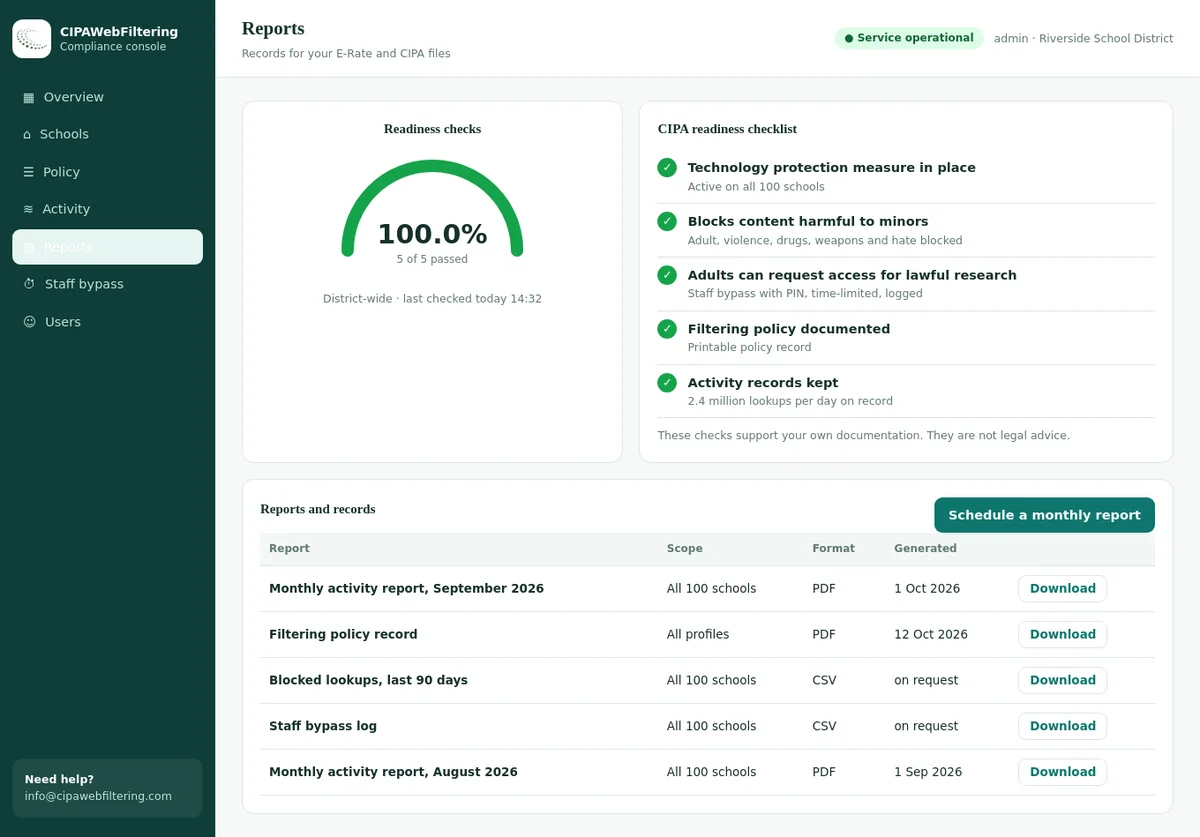
| A record the board can show | Exports and screenshots | Activity reports, policy record and log export |
| Staff who need blocked pages | Edit the list and revert it | PIN bypass for 15, 30 or 60 minutes, logged, then it switches back |
| Students on laptops at home | Varies by device | Private encrypted link keeps the rules |
Arkansas school internet safety FAQ
Does Arkansas have its own school internet filtering law?
Yes. Ark. Code 6-21-107 requires each board's written computer policy to provide a system that blocks material harmful to minors on all public access computers. It applies with or without E-Rate.
Do students have to sign a computer use agreement?
Yes. A student signs an agreement on proper and improper use before using public access computers, and the policy includes penalties, stronger for repeat violations.
What is the Bell to Bell, No Cell Act?
Act 122 of 2025, from SB 142. Districts and open-enrollment charters adopt a written policy keeping personal devices out of use from first bell to last bell, with required exemptions.
Does Bell to Bell cover school Chromebooks?
It targets personal devices. School-issued learning technology stays under the 6-21-107 blocking system and the CIPA filter.
Is there a student data privacy law for edtech operators?
Yes. Ark. Code 6-18-109, the Student Online Personal Information Protection Act, limits operator use of covered student information, including a ban on targeted advertising.
Compare other state school internet laws
All states are on the school internet safety laws by state hub.
Not legal advice. This page summarizes federal and Arkansas rules in our own words for general information. Statutes, acts and state guidance change, so check the current Arkansas Code and Division of Elementary and Secondary Education guidance, and confirm your obligations with district counsel.
Related guides
- CIPA Internet Safety Policy: What It Must Contain and How to Write One
- CIPA Compliance Checklist for Schools and Districts (8 Steps)
- Explaining Web Filtering to Parents: Letters, FAQs, Clear Limits
- Louisiana School Internet Safety Laws: R.S. 17:100.7 Guide
- Missouri School Internet Safety Laws: RSMo 182.827 and CIPA
Pricing is set by the number of schools and devices, and a quote reaches you within one business day. A pilot at one Arkansas school shows the blocks and reports, so the board sees a working system before it commits.
Talk to us about your Arkansas district
We will show how our CIPA category coverage and the hosted CIPA filter pilot keep every public access computer covered under 6-21-107 and CIPA.