Minnesota School Internet Safety Laws
Minnesota goes further than most states. It has its own school filtering statute, and since 2022 it limits how schools and vendors may monitor school-issued devices.
This guide explains how the two fit with federal CIPA, and what to configure, document and check. Planning guidance, not a legal opinion.
The short version for Minnesota districts
If you only read one section, read this. Each point is explained further down the page.
Filtering is a state duty too
Section 125B.15 requires school computers that give students internet access to restrict access to obscene, child pornography and harmful-to-minors material. It reaches charter schools.
Monitoring is limited
Section 13.32, subdivision 14 bars monitoring of browsing, keystrokes, cameras, microphones and location on school-issued devices unless an exception applies.
Phones need a policy
Section 121A.73 required every district and charter school to adopt a student cell phone policy by March 15, 2025.
Meet section 125B.15 by sorting domains, not by watching students
Minnesota asks schools to filter and, under section 13.32, limits what can be monitored on school-issued devices. A filter that decides by domain category and collects little about individual students keeps both duties easy to explain.
- Adult and VPN/Proxy/Anonymizers are blocked from the first day by the CIPA preset
- Reports are by school and category, which suits a 13.32 feature register
- Nothing is installed on the computers, so keystrokes, cameras and location stay untouched
What federal CIPA requires
CIPA applies to Minnesota schools and libraries that take E-Rate discounts for internet access or internal connections. For the full background, read what is CIPA.
Technology protection measure
Block visual depictions that are obscene or child pornography for everyone, and harmful-to-minors depictions on computers minors use.
Internet safety policy
Cover inappropriate material, email and chat safety, hacking, disclosure of minors' personal data and the filter. Adopt after public notice and a hearing or meeting.
Monitoring and education
Monitor minors' online activities and teach online behavior, social networking safety and cyberbullying awareness.
Certification
Certify on FCC Form 486, or on Form 479 for consortium members. An authorized person may disable the filter for adults doing lawful research.
Minnesota's filtering statute: section 125B.15
Section 125B.15, "Internet access for students", was first enacted in 2000 and amended in 2007, 2015 and 2025. It works alongside CIPA rather than replacing it.
What it requires
- Computers at a school site with student internet access must be configured to restrict student access to material reasonably believed to be obscene, child pornography or harmful to minors under federal or state law.
- Filtering software or other effective methods both count.
- Districts must also block adult access to material reasonably believed to be obscene or child pornography.
- "School site" includes education sites and charter schools.
Two provisions worth knowing
- Cost limit: a school site does not have to buy filtering technology if the cost would be more than incidental. Few districts rely on this, because CIPA still applies with E-Rate.
- Good-faith immunity: a district and its staff are immune from liability for failing to comply if they made a good-faith effort to comply.
- Good faith is easiest to show with dated configuration exports, test results and review notes.
How 125B.15 differs from CIPA in practice: CIPA is a funding condition. Section 125B.15 is a state duty that applies to school sites whether or not they take E-Rate, so a Minnesota school that skips E-Rate still has a filtering obligation.
School-issued device monitoring limits: section 13.32
Minnesota's 2022 student data privacy law added subdivisions 13 and 14 to section 13.32. This is the part of Minnesota law that most changes how filtering and monitoring tools are set up.
The general rule
A government entity or technology provider must not electronically access or monitor three things on a school-issued device, unless an exception applies:
- Any location-tracking feature
- Any audio or visual receiving, transmitting or recording feature
- Student interactions with the device, including keystrokes and web-browsing activity
Who is a technology provider
- A person who contracts with a public school to provide a school-issued device for student use, and creates, receives or maintains educational data under that contract.
- Educational data are not the provider's property.
- No selling, sharing or commercial use of educational data, including marketing to students or parents.
- Destroy or return data within 90 days after the contract ends, unless renewal is reasonably expected.
- Share breach information the school needs to meet its own duties.
The six exceptions, and what they mean for your filter
| Exception in 13.32, subd. 14 | Typical school use | Covers routine filtering? |
|---|---|---|
| Noncommercial educational purpose (instruction, technical support, exam proctoring) by authorized staff or vendors, with advance notice | Classroom screen views, help desk sessions, proctored tests | Only with notice and for those purposes |
| Judicial warrant | Law enforcement requests | No |
| Device reported missing or stolen | Locating a lost device | No |
| Imminent threat to life or safety, limited to that purpose | Emergency response; notice to student or parent within 72 hours | No |
| Compliance with federal or state law, including 121A.031 | CIPA and 125B.15 filtering; bullying policy duties | Yes, within what the law requires |
| Participation in federal or state funding programs, including E-Rate | CIPA filtering and monitoring tied to E-Rate | Yes, within what the program requires |
Our reading, to confirm with counsel: filtering that CIPA and 125B.15 require is anticipated by the exceptions. Features that go further, such as storing full browsing histories, reading screens outside class or flagging student messages, need their own basis, purpose limits and notice.
What it means for filtering and monitoring in Minnesota
The safest Minnesota setup filters what the law requires and collects as little student activity as it can while doing so. Category filtering fits that pattern well.
Configure
- Block Adult for all users, as both CIPA and 125B.15 require for obscene and child abuse material.
- Block harmful-to-minors categories for students: Gambling, Illegal Drugs, Weapons, Violence, Hate/Discrimination, Dating, Lingerie/Swimsuits/Intimate Apparel, VPN / Proxy / Anonymizers.
- Use grade-band rule sets so older students keep research, health and news.
- Decide on AI tools in schools as a policy choice, not a monitoring project.
Limit
- Prefer category-level reports to per-student browsing histories.
- Turn off keystroke capture, screen recording and location features unless an exception clearly applies.
- Give advance notice for classroom screen viewing and proctoring.
- Set short retention periods for any logs tied to a named student.
Contract
- Check whether your filter or device vendor is a technology provider under 13.32.
- Write the no-sale, no-commercial-use and 90-day deletion terms into the contract.
- Confirm access to educational data is limited to staff who need it.
- Plan the start-of-year notice of curriculum, testing and assessment provider contracts, which is due within 30 days.
Off-campus and take-home devices
- Filtering a take-home device off campus is still filtering under the law-compliance exception.
- Monitoring it at home is where the limits bite hardest. Keep it to what the law requires.
- See filtering school devices off campus for the technical options.
A filtering row that needs no student-level data
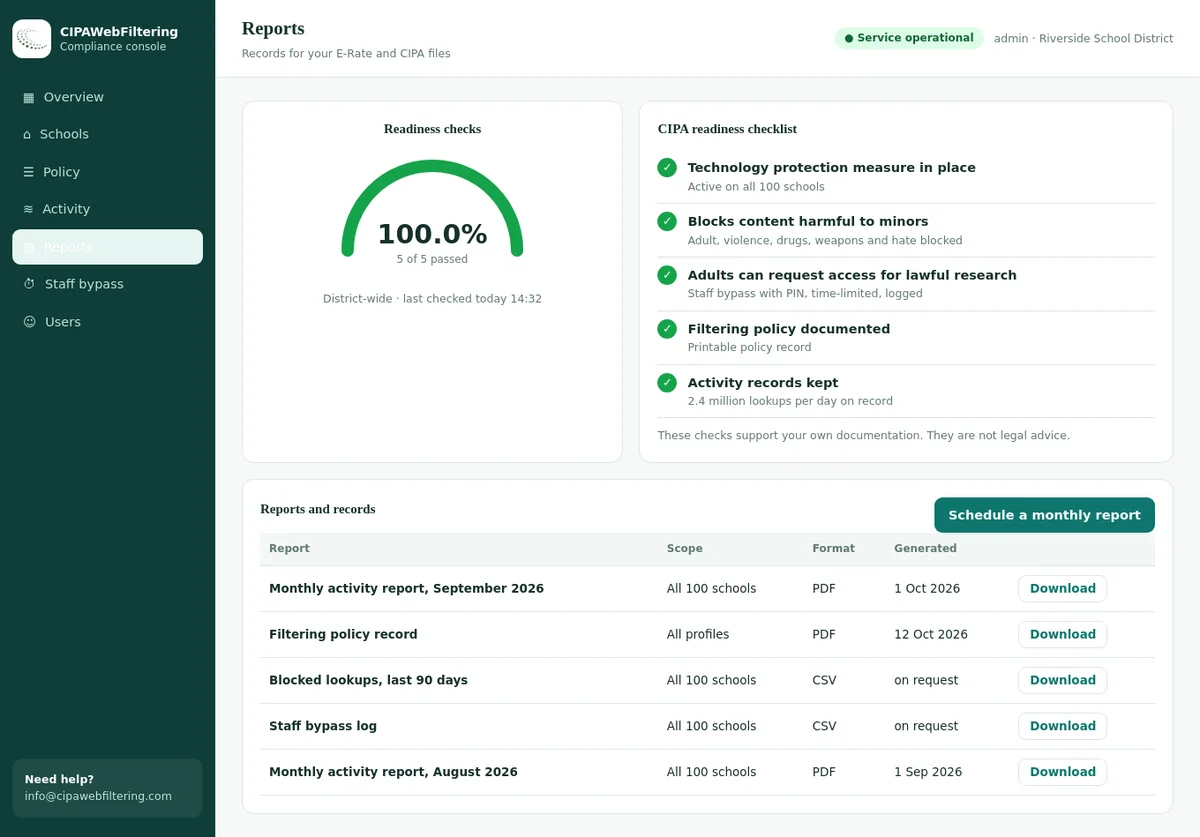
The hosted filter keeps a policy record, activity reports and a log export for CIPA files, and one console holds separate settings for each school or charter. It decides by domain rather than by page, and it is not a monitoring or classroom screen tool.
Build a monitoring feature register
The clearest way to show you respect 13.32 is a short register: every feature that touches student activity, the exception it relies on, the notice given and how long data is kept. Here is a worked example to adapt.
| Feature | Data it touches | Exception relied on | Notice | Retention |
|---|---|---|---|---|
| Category filtering of web requests | Domains requested, allow or block decision | Compliance with law (CIPA, 125B.15); E-Rate | Internet safety policy and acceptable use policy | Short, set in records schedule |
| Category-level reports by school | Aggregate counts per category | Compliance with law; E-Rate monitoring duty | Policy | Per records schedule |
| Teacher view of class screens | Live screen during class | Educational purpose with advance notice | Start-of-year notice to students and parents | Not stored |
| Exam proctoring mode | Screen and browsing during the exam | Educational purpose with advance notice | Notice before each test window | Test period only |
| Lost device location | Device location | Missing or stolen device | Policy | Until recovered |
| Keystroke or message scanning | Student content | None by default; needs counsel review | Not used without a clear basis | Not applicable |
Keep the register next to your CIPA internet safety policy and your acceptable use policy, so the notice language and the settings never drift apart.
Libraries, nonpublic schools and other edge cases
Section 125B.15 and section 13.32 are written for public education. Other Minnesota institutions need a slightly different reading.
Public libraries
- Libraries that take E-Rate for internet access, or certain federal library funds, follow CIPA.
- The school statutes on this page are not written for libraries. Check with your library system for any state rules that apply.
Nonpublic schools
- A private school that takes E-Rate for internet access must meet CIPA.
- The 13.32 device rules address public educational agencies and their technology providers, so ask counsel how they reach your setting.
Charter schools
- 125B.15 names charter schools in its definition of a school site.
- 121A.73 names charter schools for the phone policy duty.
Shared and lab devices
- The 13.32 monitoring limits apply to devices issued for a student's dedicated personal use.
- Lab and library computers shared by many students still need 125B.15 filtering.
Minnesota's cell phone policy law
Section 121A.73, enacted in 2024, required every school district and charter school to adopt a policy on students' possession and use of cell phones in school by March 15, 2025.
What the statute says
- A policy was required, but the statute does not prescribe its content.
- The elementary and secondary principals' associations were directed to share best practices on reducing phone effects on behavior, mental health and learning.
- Bills to require stricter K-8 rules have been introduced. Check whether any have passed before your next policy review.
Where it meets your filter
- Personal phones are not school-issued devices, so 13.32, subd. 14 does not govern them.
- Phones that join school Wi-Fi still pass through your network filter.
- Phones on cellular data are outside the filter. The phone policy is the control.
- Block VPN and proxy categories for students on Wi-Fi.
How common phone apps and proxy sites are labelled in our data
Section 121A.73 left the phone policy to each district, but phones that join school Wi-Fi still reach these names. The categories below come from our own database.
| Domain | Category in our data | What it means on a Minnesota network |
|---|---|---|
| snapchat.com | Social Networking | A social category a phone policy can address on Wi-Fi |
| discord.com | Email and Messaging, Social Networking, Gaming | Carries several categories because it works as chat and as a gaming hub |
| tiktok.com | Social Networking, Streaming Media | Video and social in one name |
| protonvpn.com | VPN / Proxy / Anonymizers | Blocked for students so the filter cannot be sidestepped |
| croxyproxy.com | VPN / Proxy / Anonymizers | A web proxy that needs no install, which a category rule still catches |
Common Minnesota misreadings
The 2022 law is often summarized loosely. These are the misunderstandings that lead districts to either over-collect or switch off filtering they need.
| What people say | What the statutes say |
|---|---|
| "Minnesota banned filtering on student devices." | No. Filtering required by law and by E-Rate is an exception, and 125B.15 itself requires filtering. |
| "Any monitoring is fine if it is for safety." | The safety exception covers an imminent threat to life or safety, limited to that purpose, with notice within 72 hours. |
| "Teachers can no longer see student screens." | Instruction is a listed educational purpose, but advance notice is needed. |
| "The vendor owns the logs it collects." | Educational data are not the technology provider's property. |
| "We only need to filter if we take E-Rate." | CIPA follows E-Rate, but 125B.15 applies to school sites on its own terms. |
To confirm how a specific site is categorized before you decide on a block, use the domain category checker.
Minnesota compliance checklist
Run this yearly, and whenever a filter, device or monitoring contract changes. The general CIPA compliance checklist explains each federal item.
- Internet safety policy covers all CIPA topics and was adopted after public notice and hearing
- Every school computer with student internet access is filtered (125B.15)
- Adult access to obscene material and child pornography blocked
- Harmful-to-minors categories blocked for students
- Each monitoring feature mapped to a 13.32, subd. 14 exception
- Keystroke, camera, microphone and location features off unless justified
- Advance notice given for educational-purpose access
- 72-hour notice procedure ready for emergency access
- Technology provider contracts include no-sale and 90-day deletion terms
- Start-of-year provider contract notice sent within 30 days
- Cell phone policy adopted under 121A.73 and checked against any newer rules
- Online safety lessons delivered and recorded
- Form 486 or 479 filed on time
- Annual review date recorded on each policy
Evidence to keep
Minnesota districts need to prove two things: that they filter, and that they do not monitor more than the law allows. Keep evidence for both.
| Record | What it shows | Rule |
|---|---|---|
| Adopted internet safety policy, notice and hearing minutes | Policy and public process | CIPA |
| Filter rule set exports by group, with dates | Required categories blocked for students and adults | CIPA, 125B.15 |
| Test results for sample sites in each required category | Good-faith effort to comply | 125B.15 |
| Monitoring feature register with the exception relied on | Monitoring stays within the exceptions | 13.32, subd. 14 |
| Advance notices to students and parents | Notice for educational-purpose access | 13.32, subd. 14 |
| Emergency access log and 72-hour notices | Threat exception used correctly | 13.32, subd. 14 |
| Technology provider contracts and deletion confirmations | Provider duties met | 13.32, subd. 13 |
| Cell phone policy and adoption date | Phone policy in place | 121A.73 |
| Forms 486 or 479 and lesson records | Certification and education duty | CIPA |
For data handling under federal law, see student data privacy and filtering. For the funding side, see E-Rate and CIPA funding.
Meeting section 125B.15 with a hosted filter or by hand
These are the jobs a Minnesota district has to cover, and how each one looks with our filter compared with a do-it-yourself setup.
| Minnesota task | Hosted CIPA filter | Doing it by hand |
|---|---|---|
| Block Adult for every user | On in the CIPA preset from day one | Long block lists to build and keep current |
| Block harmful-to-minors categories for students | Category switches per school; Lingerie, Gambling and Weapons are optional | Each site added one at a time |
| Leave keystrokes, cameras and location alone | Nothing installed on computers; decisions are made by domain | Device software that needs its own 13.32 review |
| Take-home Chromebooks | A private encrypted link keeps the same rules off the network | Rules usually stop at the school gate |
| Show a good-faith effort | Policy record, activity reports and a log export | Screenshots and notes gathered by hand |
| Charter schools in the same district | Separate settings per school in one console | A separate setup for each site |
Minnesota school internet safety FAQ
Does Minnesota have a state school internet filtering law?
Yes. Section 125B.15 requires school computers that give students internet access to restrict access to material reasonably believed to be obscene, child pornography or harmful to minors. Districts must also block adult access to obscene material and child pornography.
Can a Minnesota school monitor browsing on school-issued devices?
Only within the exceptions in 13.32, subdivision 14: educational purpose with advance notice, a warrant, a missing device, an imminent threat, compliance with law, or funding programs such as E-Rate.
Does the device monitoring rule stop CIPA filtering?
The statute lists compliance with law and participation in funding programs, including E-Rate, as exceptions. Required filtering is anticipated. Monitoring beyond that needs its own basis and notice. Have counsel confirm how your tools fit.
Who counts as a technology provider?
A person who contracts with a public school to provide a school-issued device and handles educational data under that contract. Providers may not sell or commercially use the data and must delete or return it within 90 days after the contract ends.
What does the cell phone law require?
Section 121A.73 required each district and charter school to adopt a student cell phone policy by March 15, 2025. The content is local. Proposals to tighten it have been introduced, so check the current text.
Is a school liable if the filter misses something?
Section 125B.15 grants immunity for failing to comply where the district made a good-faith effort. Dated configuration, testing and review records are how you show that effort.
Should Minnesota schools block AI tools?
No Minnesota statute we know of requires it. Districts decide by grade and purpose. A dedicated AI tools category lets you allow approved tools and block others without reading student activity.
Compare other state school internet safety laws
Minnesota's monitoring limits are unusual. Compare them with how neighbouring and peer states handle filtering.
See all state guides on our school internet safety laws by state page.
Related guides
What you pay depends on how many Minnesota schools and devices are covered, and a quote comes back within one business day. A pilot on one site lets you read the blocks and reports before you widen it.
Talk to us about your district
We can show how category filtering meets CIPA and 125B.15 while keeping student activity data to a minimum, which matters under section 13.32.
Talk to us about your district