How to Block Roblox on School Chromebooks
Roblox is one of the most requested blocks in K-12 help desks, and one of the most misunderstood. On a Chromebook it usually runs as an Android app, so a URL entry alone rarely stops it. Start by choosing which situation you are in.
Why schools block Roblox on student Chromebooks
Roblox is not one game. It is a platform of millions of user-made experiences, and its quality and safety vary widely. That breadth is what makes it hard to supervise on a school device.
| Concern | What it means at school | Weight |
|---|---|---|
| Contact with strangers | Chat and friend features let adults and older players reach children. This is the safety issue school counselors raise most. | High |
| Inappropriate experiences | User-made content is moderated, but unsuitable experiences do appear and are shared between students by name. | High |
| Distraction | Games launch quickly and sessions run long. Teachers report students switching to Roblox whenever attention drifts. | Medium |
| Spending and scams | In-game currency invites scams that promise free currency and lead to phishing pages or account theft. | Medium |
| Network load | Real-time game traffic across many devices adds up on busy school connections. | Lower |
CIPA
CIPA does not name games. Its internet safety policy must address minors' safety in chat and other direct electronic communication, which applies squarely to in-game chat.
Legal attention
In 2025, the attorneys general of Louisiana, Kentucky and Texas filed lawsuits against Roblox over child safety. Roblox disputes the claims. Check the current status before citing them.
Your own policy
Most districts block Roblox under board policy, not a legal mandate. Write the reason down in your acceptable use policy so the block is easy to explain.
Cover the website, the fan sites and the streamed copies together
Console settings handle the Android app, and our hosted CIPA filter handles the names behind it. We run the DNS filter, so Roblox pages, cloud gaming tabs and look-alike sites are refused at the lookup when Gaming is switched on for a school.
- A club can keep access through an always-allow entry for that one school.
- Scam and fake login pages are handled by the other categories in the same console.
- Nothing is installed on the Chromebooks, and the rules follow a laptop home over a private encrypted link.
Where Roblox runs on a Chromebook
Blocking fails when admins close one door and leave another open. These are the four routes to check, in order of how often they cause tickets.
Android app
The main way Roblox runs on ChromeOS. Installed from managed Google Play if students can browse it.
Website
Browsing, sign-in, avatar shop and the launch page. Blocking it stops account access in Chrome.
Cloud gaming sites
Sites that stream mobile games in a browser tab, from their own domains.
Personal accounts
A personal Google account or guest session skips school policies if sign-in is not restricted.
Block Roblox everywhere on student Chromebooks
- Lock down Android apps. In Devices › Chrome › Apps & extensions › Users & browsers, set the student unit so only apps you approve can install. If you use blocklist mode, add the Roblox app to the blocked list.
- Remove existing installs. Apps installed before the change may remain. Check device reports and make sure Roblox is not on any force-install list.
- Block the domains in Chrome. Under Devices › Chrome › Settings › Users & browsers › Content › URL blocking, add the Roblox domains shown here.
- Turn on the Gaming category in your filter for students, which covers cloud gaming and unofficial Roblox sites.
- Restrict sign-in to school accounts and disable guest mode on student devices.
Well-known Roblox domains
roblox.com rbxcdn.comThe first covers the site, sign-in and API hosts as subdomains. The second delivers game assets and the launcher.
Lists change
- Roblox uses more hosts than these two, and they change.
- Category filtering catches the rest, plus fan and scam sites.
- Syntax details: block websites on Chromebook in Google Admin.
Block Roblox during school hours only
- Decide where the schedule lives. The Admin console URL list and app settings are not time based. Schedules usually come from your filtering service, which can switch the Gaming category on during school hours.
- Keep the app question separate. If the Android app is installed, a schedule in the browser filter will not stop it. Most districts keep the app off school devices entirely and let families decide on home devices.
- Define school hours clearly, including early release days, and publish them to families.
- Handle the evening carefully. If Roblox is allowed after hours on school devices, the school still owns the device. Many districts decide that is a risk they do not want.
Pros and cons
- Fewer parent complaints about weekend use.
- More complex to explain and to test.
- Chat and contact risks still apply after hours.
- Needs a filter that supports schedules per category.
Allow Roblox for a supervised coding club
- Create a separate unit or group for club members, or better, use a small set of club devices in their own device unit.
- Override only what you need. Allow the Roblox domains and the app for that unit. Remember an override replaces the parent list for that setting, so copy the other blocks across.
- Keep chat in mind. Set Roblox account settings for club accounts to limit chat, and keep a supervising adult present.
- Review membership each term and remove students who have left the club.
Club checklist
- Written approval from the principal.
- Parent consent for club accounts.
- Club devices labeled and stored on site.
- Supervisor knows how to report a safety concern.
Fan sites and cloud gaming that the app block never touches
The main Roblox site, a trading stats site and a cloud gaming tab are all labelled Gaming, though some fan sites and forums have a Community or Social label instead. Several categories where a site fits more than one is common here.
| Domain | Categories in our data |
|---|---|
| roblox.com | Gaming |
| rolimons.com | Gaming, Community Sites |
| robloxden.com | Gaming |
| now.gg | Gaming |
| robloxforum.com | Social Networking |
| ropro.io | Computers & Technology, Web-based Applications, Gaming |
Category-based filtering for games like Roblox
A Roblox block solves one game. Students who lose Roblox look for the next one within a day. Category filtering lets you set a policy for the whole type of site, then make exceptions for the learning games you want.
Gaming
Online games, game portals and cloud gaming sites. The main switch for this decision, usually blocked for students.
VPN / Proxy / Anonymizers
Blocked for students on every school device. Proxies are how game blocks get bypassed.
Malware / Phishing / Suspicious
Catches free currency scams and fake login pages that target young players.
Community Sites and Forums
Fan communities, trading and game forums. Often blocked for younger grades.
Streaming Media
Game streams and video. Usually allowed with video platforms restricted.
Education/Reference
Where learning games and coding platforms belong. Allow these explicitly as exceptions if needed.
Our database places domains in 58 web filtering categories, with about 300,000 newly registered domains categorized each day and checked again after a week and a month. To see how a game site is classified, try the domain category checker. For how categories reach a managed Chromebook, read category filtering on managed Chromebooks.
Supporting Admin console settings that keep a Roblox block solid
The app and URL settings do the blocking. These surrounding settings stop the block from being undone. Search for each one by name in the settings page and set it per student unit.
| Setting | Where it lives | Suggested student value | Why it matters for Roblox |
|---|---|---|---|
| Google Play app mode | Apps & extensions, Users & browsers | Only approved apps can install | Stops Roblox and the next game app in one setting |
| Chrome Web Store access | Apps & extensions, Users & browsers | Approved extensions only | Blocks VPN and proxy extensions |
| Incognito mode | Settings, Users & browsers | Disallowed | Keeps browsing under policy and visible in logs |
| Guest mode | Settings, Device | Disabled | Removes a session that ignores user policies |
| Sign-in restriction | Settings, Device | School domain only | Stops personal accounts that carry no school policy |
| Developer mode | Settings, Device | Blocked | Prevents students from removing device management |
| Secure DNS | Settings, Users & browsers | Set by the district | Stops a student switching to an outside resolver |
Setting names and locations as shown in October 2026. Google adjusts the console regularly, so use the search box if a label has moved.
Keep learning games open while Roblox stays blocked
A blanket game block can catch math practice sites, typing games and coding platforms that teachers rely on. Plan the exceptions before you switch the Gaming category on.
Ask teachers first
Collect the game-based learning sites each grade uses. The list is usually short.
Check categories
Look up each site. Many sit in Education/Reference, not Gaming, and need no exception.
Add exceptions
Allow the few learning sites that are classed as games, per unit, with a note on who asked.
Review each term
Remove exceptions nobody uses. Shorter lists are easier to defend.
Signals worth watching in logs
A spike in blocked Gaming requests from one school, repeated proxy attempts by one account, or many hits on free currency sites. Each suggests a conversation, not only a setting.
Who follows up
Agree in advance who acts on log signals. IT spots the pattern; the school decides on behavior and safety follow-up.
Privacy limits
Log review should follow your student data privacy commitments. See student data privacy and filtering.
Bypass attempts: cloud gaming, proxies and VPNs
Roblox is the game students most often try to unblock, so expect searches for workarounds within days. These are the patterns to plan for, without chasing individual sites.
Cloud gaming in a tab
Sites that run mobile games on remote servers and stream them to the browser. They never touch Roblox domains from the device, so only the Gaming category stops them.
Web proxies
Pages that load any site through their own server. New ones appear constantly. Block the proxy category, not individual addresses.
VPN apps and extensions
Covered by the approved-apps and approved-extensions settings. Without them, a VPN routes all traffic around your filter.
Unofficial game copies
Sites hosting clones or mods, often bundled with ads or malware. Category filtering usually lists them as gaming or suspicious.
Personal accounts
Signing in with a personal account skips your policies. Restrict sign-in on student devices.
Developer mode
Enrolled Chromebooks can block developer mode at the device level, which stops students from removing management.
Off-campus behavior matters here because most Roblox play happens in the evening. Our guide on enforcing CIPA off campus explains how device-level filtering keeps rules in place on home Wi-Fi, and Chromebook 1:1 device filtering covers take-home programs.
A cloud gaming tab or a proxy does not undo the block
VPN / Proxy / Anonymizers is part of the CIPA preset, and public encrypted DNS and browser settings that skip the filter are blocked by default. A staff PIN can open adult research for 15, 30 or 60 minutes and never lifts the proxy block.
Test the Roblox block on a real device
Use an enrolled Chromebook and a test student account in the same unit as your students. Work through the board below after the first change and again after each ChromeOS update.
Before
- Test account is in the student unit
- Device is enrolled and current
- Note which apps are installed
- Pick two cloud gaming sites from your test list
During
- Reload policies at
chrome://policy - Visit roblox.com and a game page
- Search for Roblox in the Play Store
- Try the cloud gaming sites and a proxy
After
- Repeat on a home network
- Check a club device still works, if you have one
- Confirm filter logs show the attempts
- Record results for your compliance file
For a complete check that covers categories, safe search and bypass resistance, follow our school web filter test.
When a test fails: first confirm the test account sits in the unit you changed and that no configuration group overrides it. Then check whether the app was installed before the policy changed. Those two causes explain most failed Roblox tests. If both look right, reload policies on the device and restart Chrome before testing again.
Talking to parents about blocking Roblox
Many parents play Roblox with their children or allow it at home. They are more likely to support a school block if you explain it as a school device decision, not a verdict on the game.
Lead with the device
Say the block applies to school Chromebooks and school accounts. Home devices remain a family decision.
Explain the reason
Name safety in chat, focus in class and your board policy. Avoid alarming language about the platform itself.
Offer something useful
Point families to the platform's own parental controls for home use, and to your digital citizenship lessons.
Sample note: From Monday, Roblox will not be available on school-issued Chromebooks. This applies at school and at home while your child is signed in with their school account.
The decision follows our internet safety policy, which limits online games and chat on school devices. Your family's own devices are not affected.
If your child is in the after-school coding club, their club access continues on club devices with a supervisor present.
Roblox blocking: console and app policy alone, or with a hosted DNS filter
The app policy stays necessary, and the table shows what the DNS side adds.
| Issue | Console and app policy | Hosted CIPA filter |
|---|---|---|
| Cloud gaming tabs | Added by hand to the URL list | Caught by the Gaming category |
| Fan, trading and scam sites | Unknown until reported | Blocked as categories where they are filed |
| Supervised coding club | A unit exception to keep tidy | Always-allow entry on that school only |
| Phone or lab PC on school Wi-Fi | Not covered by Chrome policy | One DNS setting on the router or firewall |
| Chromebook at home | Account policies only | Private encrypted link carries the rules |
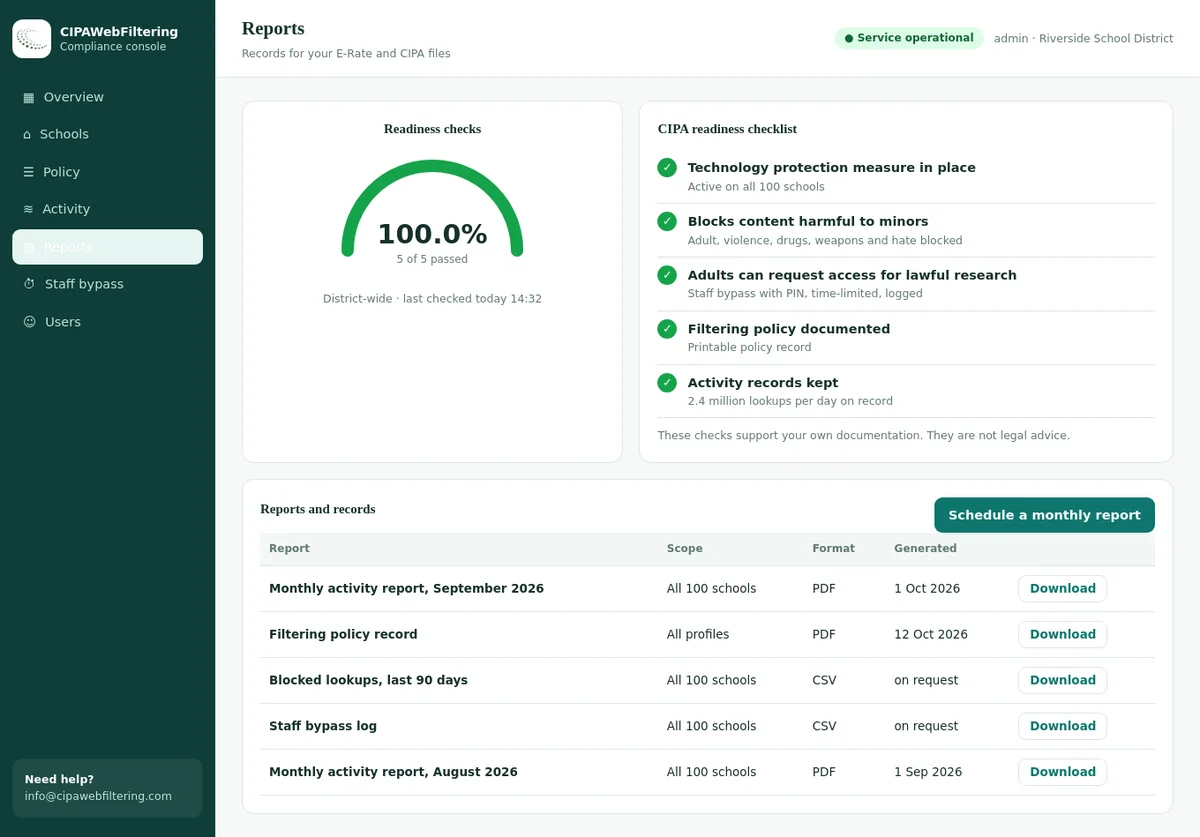
| Evidence for the CIPA file | Settings screenshots | Activity reports, policy record, log export |
Roblox blocking questions from school IT teams
Why does Roblox still run after I blocked roblox.com?
On most Chromebooks it runs as an Android app, which does not reliably follow the Chrome URL blocklist. Block or remove the app in the Google Play settings for the student unit as well.
Can students play Roblox in a browser through cloud gaming sites?
Yes. Some sites stream mobile games inside a browser tab from their own domains, so a Roblox domain block does not stop them. Block the Gaming category for students.
Can we allow Roblox for a coding club only?
Yes. Put club members or club devices in a separate unit with the app and domains allowed, limited to supervised sessions. Keep everyone else blocked.
Does CIPA require schools to block Roblox?
No. CIPA does not name games, but its safety policy must cover minors' safety in chat. Many districts block Roblox under their own policy.
Will the Roblox block follow the Chromebook home?
App and URL policies follow the school account on enrolled Chromebooks. Restrict sign-in to school accounts so a personal account cannot skip them.
What ports does Roblox use, and should I block them?
Gameplay uses a wide range of high UDP ports. Blocking those on the school firewall can break other services, so domain, app and category controls are safer.
Should we block Roblox for staff accounts too?
Usually not by default. Staff may need to review a game a parent has raised, or support a club. Keep staff in their own unit with a lighter policy, and block for staff only if your board policy asks for it.
How long does it take for a Roblox app block to reach devices?
App and policy changes reach Chromebooks when they next fetch policy, which is often quick but not instant. Already installed apps may need to be removed. Check a test device the same day and again the next morning.
Is blocking the Roblox website enough for younger grades?
No. Younger students are the most likely to use the Android app. For elementary units, an approved-apps list in Google Play plus the Gaming category is the reliable combination.
A quote reflects your count of schools and devices and reaches you within one business day. Starting with a pilot on one site lets you look at the Roblox blocks and the reports first.
Block the category, not just the game
We help districts add category filtering for games, proxies and scam sites behind their Chromebooks, so the next Roblox does not need a new ticket.
Roblox is a trademark of Roblox Corporation. Google, Google Admin console, Chrome, ChromeOS, Chromebook, Google Play and Android are trademarks of Google LLC. These names are used here only to identify the products discussed. CIPAWebFiltering.com is not affiliated with, sponsored or endorsed by Roblox Corporation or Google LLC.