Internet safety policy template for CIPA
An editable policy your school or library board can adapt and adopt. It covers every element CIPA requires, has optional sections for schools and for libraries, and ends with a record of the public meeting and the vote.
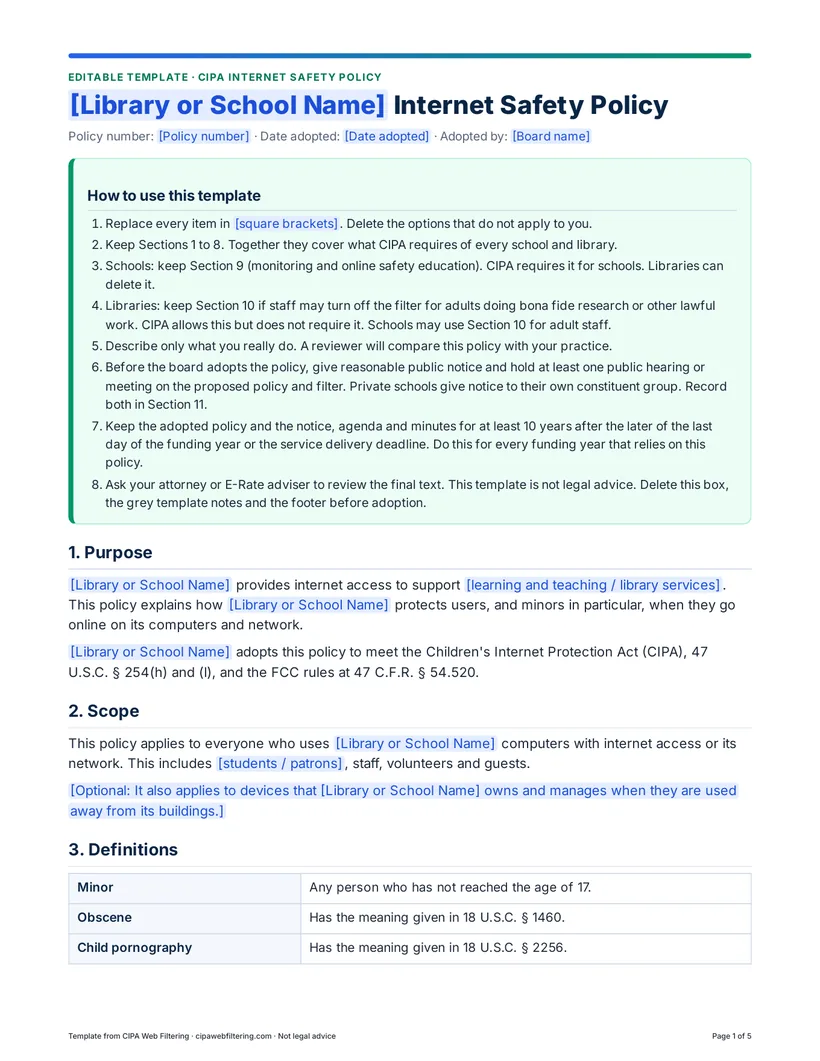
What is inside the template
Five pages, written in plain sentences. Everything you need to change is in [square brackets], and grey template notes explain the choices. The Word file and the PDF have the same text.
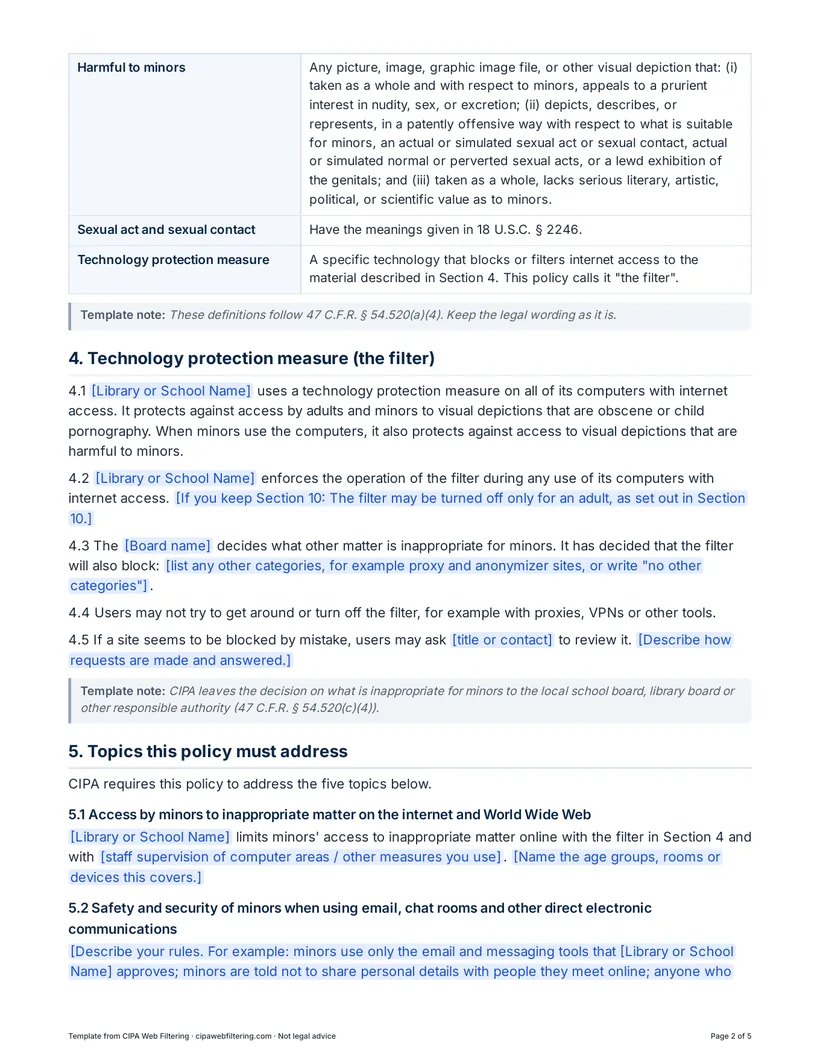
- Purpose and ScopeWhy you provide internet access, who the policy covers, and an option for devices used away from your buildings.
- DefinitionsMinor, obscene, child pornography, harmful to minors and technology protection measure, as the FCC rule defines them.
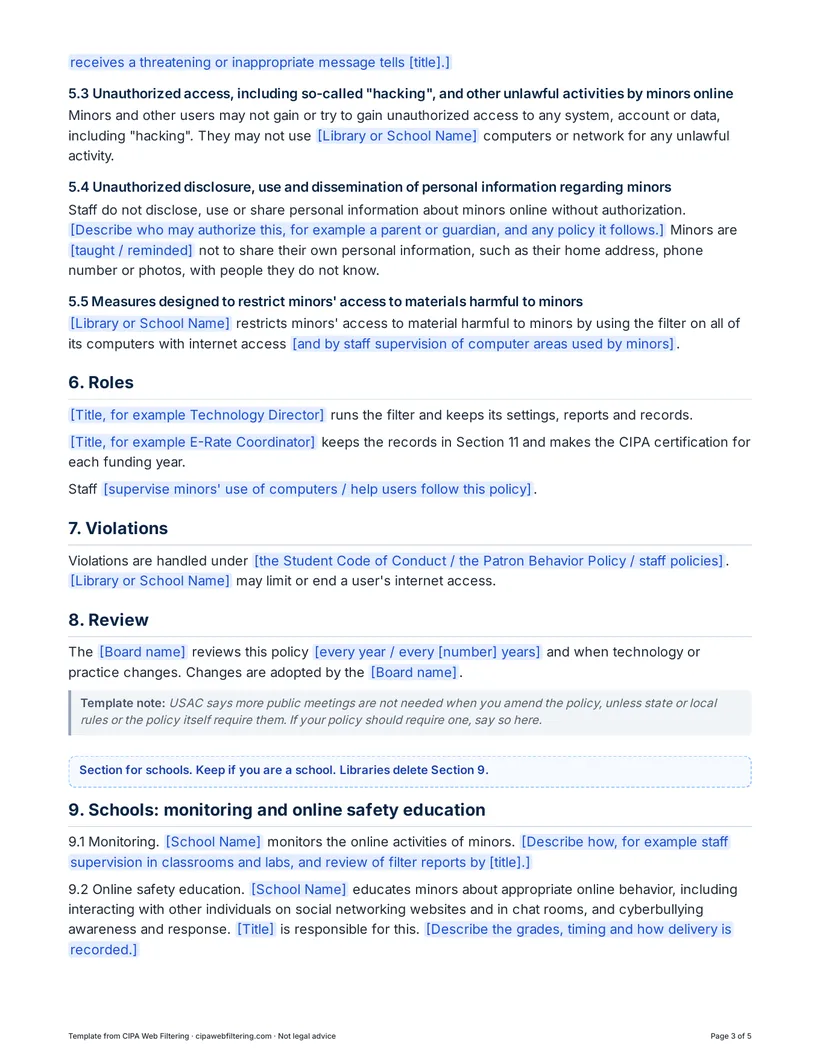
- The filterThe technology protection measure on all computers with internet access, your local blocking decisions, and how users ask for a review.
- The five required topicsOne short section for each topic CIPA says the policy must address.
- Roles, Violations and ReviewWho runs the filter, who keeps the records, and how often the board reviews the policy.
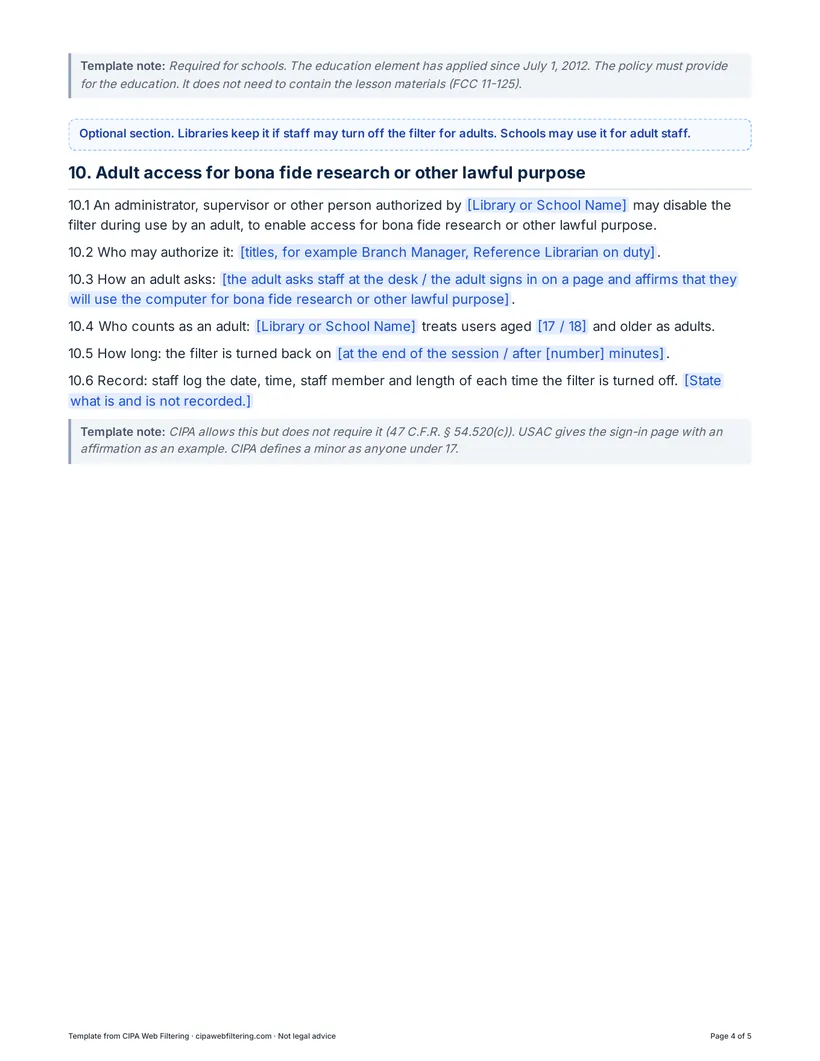
- Schools: monitoring and educationMonitoring the online activities of minors and educating them about appropriate online behavior.
- Adult access (optional)How staff may turn off the filter for an adult doing bona fide research or other lawful purpose.
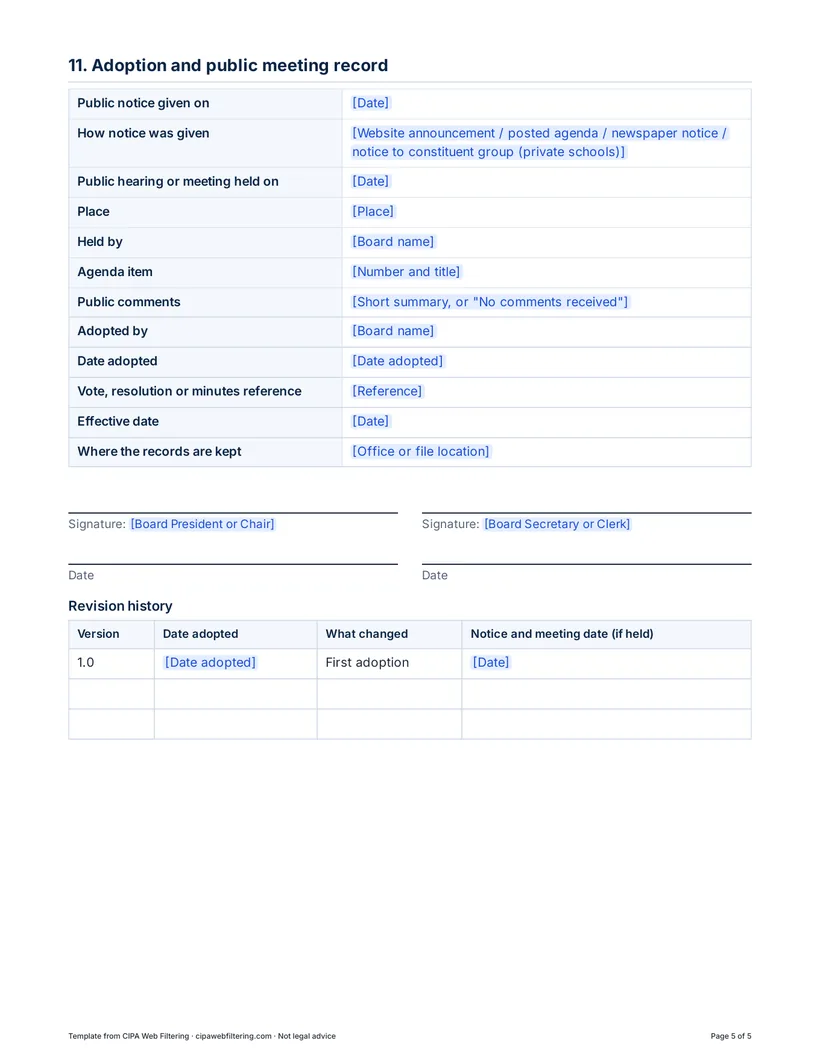
- Adoption recordDates of the notice and meeting, the vote, signatures and a revision history.
Why the legal wording stays as it is
A reviewer checks your policy against the law, so the template keeps the law's terms where they matter. The filter section says the technology protection measure protects against access by adults and minors to visual depictions that are obscene or child pornography, and, when minors use the computers, to visual depictions that are harmful to minors. The definitions follow the FCC rule at 47 C.F.R. § 54.520, and a minor is anyone under 17.
The five topics in Section 5 use the same titles as the law: access by minors to inappropriate matter online; the safety and security of minors in email, chat rooms and other direct electronic communications; unauthorized access, including hacking, and other unlawful activities by minors; unauthorized disclosure, use and dissemination of personal information regarding minors; and measures that restrict minors' access to materials harmful to minors. You fill in how you handle each one.
Who it is for
- Public library boards and directors writing a first policy or updating an old one before the next E-Rate certification.
- School boards and superintendents in public, private and charter schools that receive E-Rate support.
- Technology directors who need the policy to match the filter they run.
- Districts with a combined acceptable use policy that want to check every CIPA topic is still covered.
How to use it, from draft to Form 486
Draft
Open the Word file and replace every item in square brackets. Keep Sections 1 to 8. Schools keep Section 9. Libraries delete Section 9 and keep Section 10 if staff may turn off the filter for adults.
Match it to what you do
Describe only what you really do, because a reviewer will compare the policy with your practice. If your filter blocks more than the CIPA categories, list them in Section 4.3 as the board's decision.
Review
Ask your attorney or E-Rate adviser to read the final text. Then delete the how-to box, the grey template notes and the footer.
Board meeting
Give reasonable public notice and hold at least one public hearing or meeting on the proposed policy. Private schools give notice to their own constituent group. Present the draft, take comments and vote. Fill in Section 11 with the dates, the agenda item and the minutes reference.
File and certify
Keep the adopted policy with the notice, agenda and minutes for at least 10 years after the later of the last day of the funding year or the service delivery deadline. Then make the CIPA certification on the Form 486, or on the Form 471 from funding year 2028. Our CIPA audit evidence checklist shows what else belongs in the folder.
Get the internet safety policy template
Edit the Word file for your board. Use the PDF to read or share a draft. Both have the same five pages.
Related guides
- CIPA internet safety policyThe full guide: what the policy must contain and how to write it.
- Public library filtering policyPolicy choices for adult and children's areas.
- Acceptable use policy for schoolsWhat to include and how it relates to CIPA.
- Adult unblocking in librariesThe law behind Section 10 and the records to keep.
- Presenting filtering to the boardBudget, risk and what to show at the meeting.
- Form 486 CIPA certificationDeadlines and the certification options.
Questions about the template
Is the template enough to comply with CIPA?
No document does that alone. CIPA also needs a filter on every computer with internet access, reasonable public notice and at least one public hearing or meeting, and a certification for each funding year. The template gives you the written policy and a place to record the meeting.
Do we need a public hearing to adopt the policy?
Yes. CIPA requires reasonable public notice and at least one public hearing or meeting on the proposed policy. A regular board meeting with the policy on the published agenda works. USAC says more meetings are not needed for later amendments, unless state or local rules or your own policy require them.
Can a public library use this template?
Yes. Delete Section 9, which is for schools. Keep Section 10 if staff may turn off the filter for adults doing bona fide research or other lawful purpose. CIPA allows this but does not require it.
Is an internet safety policy the same as an acceptable use policy?
No. An acceptable use policy sets the everyday rules for users. The internet safety policy is the document CIPA requires. Many districts combine the two. If you do, check that every topic in Section 5 is still covered.
Does the policy have to mention social media or AI tools?
CIPA does not require a social media ban or an AI section. A school policy must provide for educating minors about appropriate online behavior, including interacting with others on social networking websites and in chat rooms, and cyberbullying awareness and response. Local rules on AI tools can go in Section 4.3.
Can we change the wording?
Yes, adapt it to your school or library and describe only what you really do. Keep the definitions in Section 3 as they are, because they follow the FCC rule.
Which programs open the Word file?
The .docx file opens in Microsoft Word, Google Docs and LibreOffice Writer. The PDF has the same text, for reading or for sharing a draft with the board.
Check the rest of your CIPA file
A policy is one part. The free CIPA readiness check asks nine short questions that also cover your filter, public meeting, records and CIPA form. If you would rather we run the filter, our hosted CIPA filter starts from $99 a month per site, with one DNS setting and nothing to install.
General information for school and library staff, not legal advice. More free tools: Free CIPA resources.