CIPA Adult Unblocking in Libraries: What the Law Allows and How to Do It Well
CIPA lets a library turn its filter off for an adult who needs it for bona fide research or any other lawful purpose. That one clause is why filtering in a public library looks so different from filtering in a school.
This guide covers the wording of the law, the 2003 Supreme Court decision that leaned on it, a desk procedure that works on a busy afternoon, and a record plan that protects patron privacy.
What CIPA says about disabling the filter
The library provisions of the Children's Internet Protection Act include a short clause on disabling. Read it as four parts. Each part answers a question your staff will be asked.
The clause, in four parts
- Who may act
An administrator, a supervisor, or another person the library has authorized. Your policy decides who is on that list.
- What they may do
Disable the technology protection measure. In practice that can mean turning the filter off for a session or opening one blocked site.
- For whom
An adult using the computer. CIPA defines a minor as someone under 17, so libraries usually treat 17 and over as adult for this purpose.
- For what purpose
Bona fide research or another lawful purpose. The phrase is broad, and the law does not set out a test the patron must pass.
What the clause does not say
- It does not require a written request form.
- It does not require the patron to name the research topic.
- It does not require a manager to approve each request.
- It does not require the library to log the sites viewed afterwards.
- It does not make illegal content lawful to view. Obscenity and child sexual abuse material stay illegal with or without a filter.
- It does not stop a library from blocking malware or other threats for everyone, filter or no filter.
This guide explains common practice for library directors, IT staff and trustees. It is not legal advice. For the full set of CIPA duties, start with our plain guide to what CIPA is and the public library internet filtering policy guide.
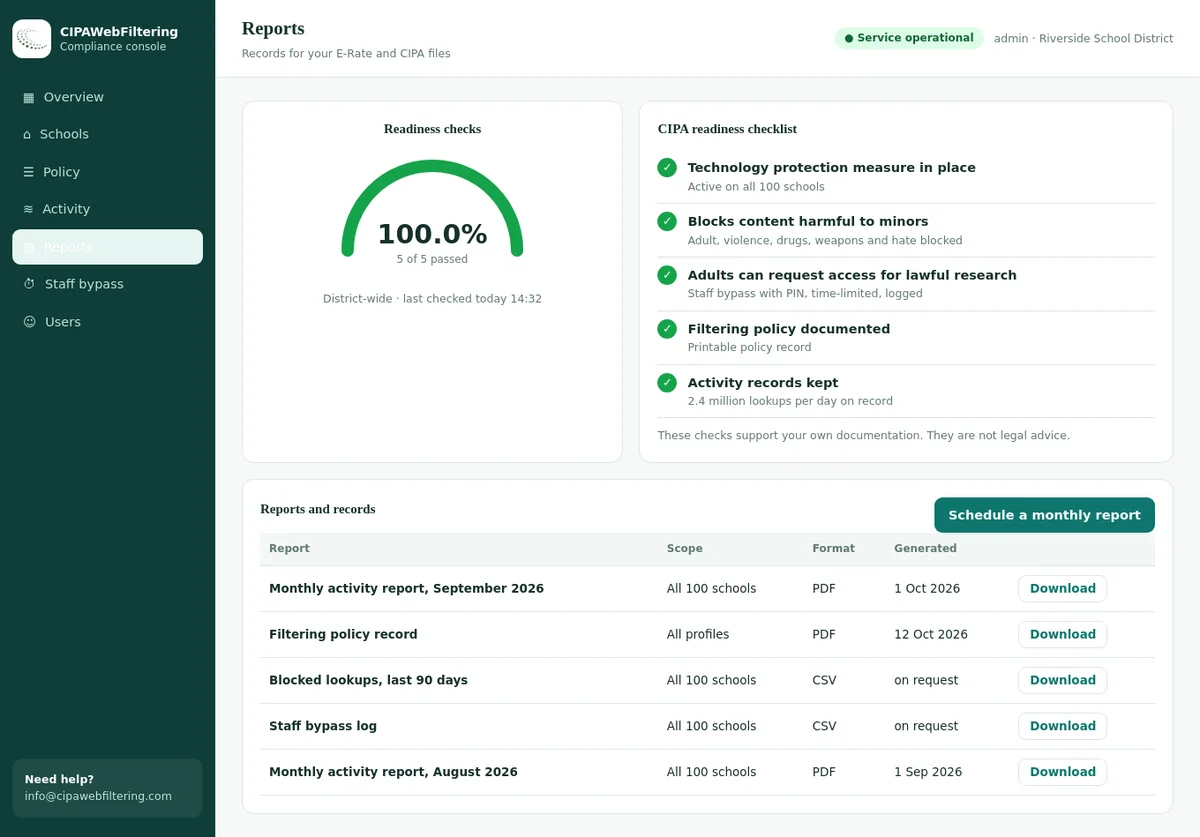
A staff PIN for adult requests
When an adult asks for access, staff enter a PIN and the session opens without anyone touching the network. The hosted filter handles the timing and the reversal for you.
- Choose 15, 30 or 60 minutes, then the filter switches back by itself.
- Each unblock is logged, which gives you the record the guide recommends keeping.
- VPN/Proxy stays blocked even while the PIN is active.
The 2003 US v. ALA decision and why unblocking mattered
The American Library Association and others challenged the library filtering conditions soon after CIPA passed. The case reached the Supreme Court, and the adult unblocking clause became central to the outcome.
- Dec 2000
CIPA becomes law
Congress ties E-Rate discounts and certain library grant funds to filtering and an internet safety policy.
- 2002
A federal court blocks the library provisions
A three-judge district court in Pennsylvania finds that filters of the time blocked large amounts of lawful speech and rules the library conditions invalid.
- Jun 2003
The Supreme Court reverses
In United States v. American Library Association, the Court upholds the conditions. Six justices agree on the result, but only four join the main opinion.
- After 2003
Practice settles around fast unblocking
Libraries that accept the funding filter their computers and build procedures so adults can get unfiltered access quickly and without fuss.
The plurality
Four justices found that the filtering condition was a valid use of Congress's spending power. They pointed out that an adult can simply ask a librarian to unblock a site or to disable the filter.
Justice Kennedy
He concurred in the judgment on the basis that librarians would unblock for adults without significant delay. He left room for a later challenge if a library made that hard in practice.
Justice Breyer
He also concurred in the judgment, finding the burden on adults acceptable partly because the disabling clause limits the harm of overblocking.
The practical lesson for a library board: the law was upheld on the expectation that adult unblocking is easy and prompt. A process that is slow, intrusive or only available when one person is on shift works against that expectation. During argument, the government also told the Court that patrons would not have to explain why they wanted a site unblocked.
Adult research sites a patron may request
All of these are labelled in our data, so you can see which category the PIN is actually lifting.
| Site a patron asks for | Our labels |
|---|---|
| plannedparenthood.org | Health & Medicine |
| webmd.com | Health & Medicine |
| playboy.com | Lingerie/Swimsuits/Intimate Apparel |
| victoriassecret.com | Lingerie/Swimsuits/Intimate Apparel |
| bet365.com | Gambling, Sports & Recreation |
| gunbroker.com | Weapons |
Three ways to disable the filter for an adult
Most library filters offer more than one way to honour a request. Choose a default, train staff on it, and keep the others for unusual cases.
Timed session bypass
Staff enter a PIN or switch, and the filter is off for that computer or device for a set window, such as 30 or 60 minutes. It switches back on by itself.
- Fast, no IT call needed
- Nobody has to remember to reset it
- Window may end mid-task, so allow a renewal
Single-site unblock
Staff open one blocked domain for that patron or session. Everything else stays filtered. Good when the patron knows exactly which site they need.
- Narrow, easy to explain
- Leaves other protections on
- Research often spans many sites, so repeat requests follow
Designated adult station
Some libraries set aside a computer where the filter is disabled on request at login. It suits branches with very high request volume.
- Little desk time per request
- Clear signage is simple
- Patrons must wait for that seat, and screen placement needs care
Our hosted CIPA filter for libraries uses the first model: staff enter a PIN on any phone or desk computer and unblock adult content for 15, 30 or 60 minutes, then it switches back on automatically. Other blocked categories, such as proxy tools, stay blocked.
No one has to remember to turn it back on
The PIN window ends on its own, and the log shows when it was used. Adult is the category staff usually need to lift for research.
A practical adult unblocking procedure
Write the procedure so a new part-time clerk can follow it on their first Saturday. Six steps cover almost every request.
Patron asks at the desk, by phone or by chat
Any channel the library already uses for reference questions works. The block page on screen should say how to ask.
Confirm the patron is an adult
Use the same approach you use for other age-limited services, such as the age on the library card record. Do not ask about the research topic.
Choose session bypass or single-site unblock
If the patron names one site, open that site. If they are researching broadly, use the timed session bypass.
Apply it and confirm it works
Ask the patron to reload the page. Browsers sometimes hold an old answer for a minute, so a short wait may be needed.
Remind the patron of the code of conduct
Unfiltered access does not change the rules on illegal content or on behaviour in shared spaces. One neutral sentence is enough.
Record the minimum and move on
Note date, time, branch and staff initials, or let the filter log the PIN use. Never note the topic or the sites.
What staff can say at the desk
Words matter more than settings here. A calm, ordinary tone tells the patron this is a normal library service, which is exactly what it is.
The library computer won't let me open a site I need for something I'm working on.
No problem. Adults can have the filter switched off for a while. Which computer are you on? I'll set it for an hour, and just come back if you need longer.
Do I need to tell you what it's for?
No, you don't. It switches back on by itself when the time is up. The usual computer use rules still apply.
I'm at the branch on Main Street and a health site is blocked.
I can open that from here. Tell me the computer number on the sticker and I'll unblock it now. Let me know if the page still doesn't load after a minute.
Phrases to avoid
"Why do you need that?" turns a routine request into a judgment. "The filter can't be changed" is usually untrue and undermines the legal basis for filtering. "I'll have to ask the manager tomorrow" creates exactly the delay the Court warned about.
When a patron is visibly upset about the block
Acknowledge that the block was in the way, fix it, and offer the review route if they think the site should be open for everyone. Our library staff guide to filter requests has longer scripts for the harder conversations.
Records: what to keep and what to leave out
You need enough to show that the procedure exists and is used. You do not need, and should not want, a list of what adults read. CIPA does not require libraries to track patrons' internet use.
| Record | Keep? | Why |
|---|---|---|
| Written procedure adopted under the board policy | Yes | Shows the clause is put into practice, not just written down |
| List of authorized staff roles | Yes | Matches the statute's wording on who may disable the filter |
| Training sign-off for desk staff | Yes | Proves every shift can handle a request |
| Count of bypasses per branch per month | Yes | Shows use without identifying anyone, and helps size staffing |
| Date, time, device and staff initials per bypass | Optional | Useful for troubleshooting; set a short retention period |
| Patron name or card number | Avoid | Not needed to show compliance and raises privacy risk |
| Topic of the research | No | Never ask, never record |
| Sites visited while the filter was off | No | Not required by CIPA and conflicts with library confidentiality norms |
Most states protect library user records by statute. Check how your state's library records law treats filter logs, and set a retention period your counsel agrees with. Keep your E-Rate paperwork, including CIPA evidence, as long as program rules require. Our guide to what USAC asks for in a CIPA audit lists the documents reviewers look at.
Edge cases boards and staff ask about
The everyday request is simple. These are the situations that come up a few times a year and deserve a written answer in advance.
A 15-year-old asks for a blocked site for a school project
The adult clause does not cover minors. The usual route is a site review: if the site is educational and was caught by mistake, add it to the allow list for everyone.
Some boards also let a parent request a review on a child's behalf. Write down which route you use.
An adult and a teenager share one computer
The bypass is for use by an adult. If a minor is clearly using the session, staff can explain that the filter has to stay on for that use, and offer a separate computer to the adult.
The request is about the patron's own laptop on library wifi
If your wifi is filtered, adults need a way to get unfiltered access there too. Options include a separate adult network, a timed bypass for the device, or a single-site unblock. See our guide to library wifi and patron device filtering.
Other patrons complain about what is on a screen
That is a code of conduct and space issue, not a filtering one. Privacy screens, careful seat placement and a neutral conversation solve most cases. Re-enabling the filter on a complaint risks denying lawful access.
The patron asks for unfiltered access every visit
That is allowed. Some libraries let regular users set the preference once on their account where the filter supports it. Avoid any approach that keeps a visible list of those patrons.
Staff computers in the back office
CIPA's filter requirement covers the library's computers with internet access, staff machines included. Staff who are adults can use the same disabling route for their own lawful work. Our page on staff vs student web filtering policies covers the school side of this question.
Should malware blocking switch off too?
No. Security blocking protects the network and other patrons. Configure the bypass so it opens the CIPA content categories and leaves malware, phishing and proxy blocks in place.
Checklist: is your adult unblocking process ready?
Run through these with your director and IT lead once a year, ideally before your E-Rate certification is filed.
Pair this with the full CIPA compliance checklist and our overview of web filtering for libraries.
Fewer requests start with better category settings
Every unnecessary block creates a desk request. A narrow, well-maintained category set means adults need the bypass less often, and minors meet fewer wrongly blocked health or history pages.
Start with the CIPA core
Block adult content and tools that hide traffic from the filter. Add other categories only where your board policy asks for them.
Check before you change
When a site is reported, look it up with the website category checker to see which categories it carries before you touch the settings.
Use ranked categories
Sites often carry more than one category. Filters that use the main category avoid blocking a medical site because one page mentions anatomy. See the web filtering categories overview.
Manual or logged unblocking
Ways to unblock an adult
| Step | Turning the filter off by hand | Staff PIN in the hosted filter |
|---|---|---|
| Starting | Someone changes a setting | Staff enters the PIN |
| Ending | Depends on staff remembering | Switches back after 15, 30 or 60 minutes |
| Record | Handwritten note | Logged automatically |
| Other categories | May stay open by mistake | Only the PIN scope changes; VPN/Proxy stays blocked |
| Evidence later | Hard to rebuild | Activity reports and log export |
Adult unblocking FAQ
Short answers to the questions directors and trustees raise most.
Does CIPA let libraries turn the filter off for adults?
Yes. CIPA allows an administrator, supervisor or other authorized person to disable the technology protection measure during use by an adult, to enable access for bona fide research or other lawful purposes.
Does an adult have to say why they want the filter disabled?
The statute does not set out a questioning process. When the Supreme Court upheld CIPA in 2003, the government told the Court that patrons would not have to explain their reasons. Many libraries therefore treat the request as routine and ask no questions about the topic.
Who counts as an adult for CIPA unblocking?
CIPA defines a minor as someone who has not reached 17. In practice, libraries treat patrons aged 17 and over as adults for this purpose, unless a state law or local policy sets a different rule.
Can staff unblock a site for a minor?
The adult disabling provision covers use by adults. For minors, libraries usually review the site itself and add it to the allow list if it was blocked by mistake. Follow your board policy and state law.
Do we have to log every unblock?
CIPA does not require libraries to track internet use. Many libraries keep a minimal record that the procedure exists and is used, such as date, time, branch and staff initials, without the patron's name or the sites visited.
Is illegal content unblocked too?
No. Disabling the filter does not make illegal material lawful to view. Obscenity and child sexual abuse material remain illegal, and your policy should say so plainly.
How fast should unblocking be?
As fast as you can make it. Justice Kennedy's concurrence rested on unblocking happening without significant delay, so a process that takes days or requires a manager who is rarely on site invites trouble.
Related guides
- Library Staff Guide to Filter Requests: Scripts, Steps, Logs
- Intellectual Freedom and Library Filtering: Balancing Access and CIPA
- Public Library Internet Filtering Policy (Template and Guide)
- Children's Area Internet Filtering in Libraries: Zones and Settings
- E-Rate for Public Libraries: Discounts, CIPA, Forms 486 and 479
We price by branches and devices, and you hear back with a number within one business day. A first pilot on one site puts the blocks and reports on your screen before any commitment.
Make adult unblocking a one-minute task
Tell us how many branches and public computers you run. We will show how a staff PIN bypass, automatic reset and privacy-first logs could work in your library.