Web Filtering and GDPR in Schools
Every school filter produces personal data. Each blocked or allowed request can be tied to a pupil, a member of staff or a device, and over a term those records build a detailed picture of someone's online life.
This guide explains how UK GDPR and the EU GDPR apply to filtering and its logs: the lawful basis, the DPIA, retention, data minimisation, subject access and the contract with your provider.
Not legal advice. This is a practical overview for school IT, data protection and safeguarding staff. Check current ICO or supervisory authority guidance and ask your data protection officer before acting.
Which law applies to your school
The rules are close cousins. Schools in the UK work under UK GDPR and the Data Protection Act 2018. Schools in the EU and EEA work under the GDPR itself, plus national laws and the guidance of their own supervisory authority.
United Kingdom
UK GDPR and the Data Protection Act 2018, supervised by the Information Commissioner's Office. The Data (Use and Access) Act 2025 amends parts of this regime, with changes coming into force in stages. Check which parts are in force today.
European Union and EEA
The GDPR applies directly, alongside national data protection acts. Each country has its own supervisory authority, and some add rules on employee monitoring or children's data.
Safeguarding duties
Filtering also sits inside education law. In England, Keeping Children Safe in Education and the DfE filtering and monitoring standards set expectations. Data protection shapes how you meet them, not whether you do.
Data protection is not a reason to skip filtering. The ICO and DfE both make clear that data protection law should not stop schools sharing or using information needed to keep children safe. It asks you to do it carefully and transparently.
Keep the filter's records tidy and useful
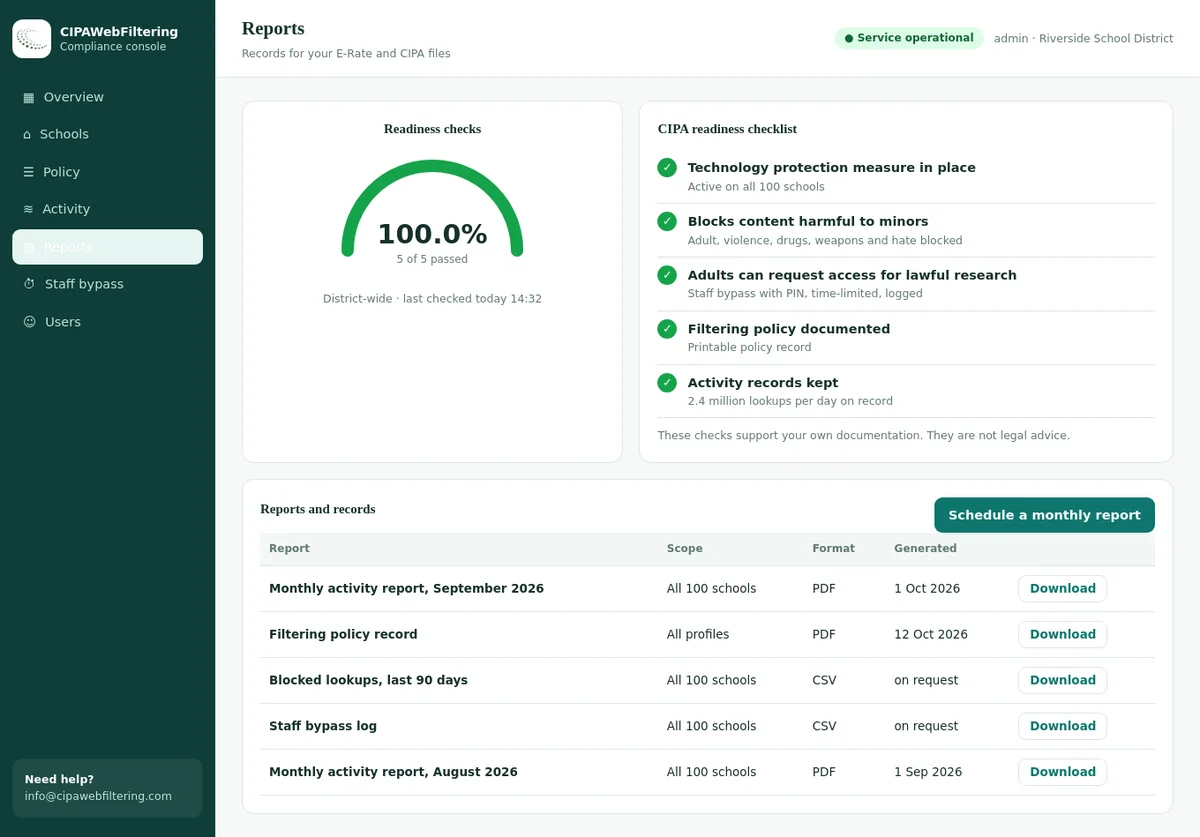
Our hosted CIPA filter works at the level of the domain, not the page, so a log line names a site and nothing a pupil typed on it. Your school still decides what to keep, and the reports and log export give the DPIA something concrete to describe.
- Activity reports and a policy record show what the filter was set to do and when
- The log export lets the data protection lead see exactly what is held
- Separate settings per school suit a group where every site has its own head and its own rules
What personal data a school filter creates
Before you can minimise data, you need to know what the filter actually records. The answer depends on the product and on settings someone may have turned on years ago.
| Data item | Why it is personal data | Typical need | Risk notes |
|---|---|---|---|
| Username or account | Directly identifies a pupil or member of staff | High: needed to act on concerns | Pseudonymise in reports where names are not needed |
| Device name, IP or MAC address | Links to a person through device allocation | Medium: useful for shared devices | Treat as identifying when combined with allocation records |
| Domain requested | Shows interests and activity | High: core of filtering | Can reveal health, religion or sexuality |
| Full URL and path | Can include search terms, article titles and IDs | Low to medium | Much more revealing than the domain alone |
| Category and action (allowed or blocked) | Describes behaviour | High: used for reviews and alerts | Lower risk than full URLs for routine reporting |
| Search terms | Can reveal thoughts and worries | Depends on safeguarding approach | Highly sensitive; restrict access tightly |
| Timestamps and location | Patterns of life, including off-site use | Medium | Off-site logs on take-home devices need a clear purpose |
Special category data: browsing records can reveal health, religion, sexual orientation or political views. Under UK law, the Data Protection Act 2018 includes a condition for safeguarding children and individuals at risk. Record which Article 9 condition you rely on in your DPIA.
Choosing a lawful basis for filtering and logs
Every purpose needs a lawful basis under Article 6. Blocking harmful sites, keeping logs for review and generating alerts are related purposes, and your records should cover each.
Public task
Maintained schools and academies carry out safeguarding as part of their official functions. Filtering that supports those duties usually fits here. Name the duty you rely on in your records.
Legitimate interests
Independent schools that are not public authorities often use legitimate interests. You must complete a balancing test that weighs the school's interest against pupils' rights, giving extra weight to children.
Consent
Consent must be freely given and can be withdrawn. Pupils and staff cannot really refuse filtering on a school network, so consent is usually the wrong basis for it.
| Purpose | Typical basis (state school) | Typical basis (independent school) | Record in |
|---|---|---|---|
| Block harmful and illegal content | Public task | Legitimate interests | Record of processing, privacy notice |
| Keep logs for filter review and fault finding | Public task | Legitimate interests | Retention schedule, DPIA |
| Alerts on concerning searches to safeguarding staff | Public task, plus Article 9 condition | Legitimate interests, plus Article 9 condition | DPIA, safeguarding policy |
| Staff browsing logs | Public task or legitimate interests | Legitimate interests | Staff privacy notice, acceptable use policy |
| Off-site filtering on take-home devices | Public task | Legitimate interests | DPIA, device agreement |
These are common patterns, not rules. Your DPO should confirm the basis for your school's situation.
The DPIA for web filtering, step by step
A data protection impact assessment is required where processing is likely to be high risk. Filtering and monitoring involve children and their online activity, so treat a DPIA as the normal starting point.
Describe the processing
Which networks and devices, which users, what is logged, where it is stored, who can see it and for how long.
State the purposes
Blocking, review, alerts, fault finding. Keep each purpose separate so you can justify each data item against it.
Check necessity and proportion
Could you meet the purpose with less data, such as categories instead of full URLs, or shorter retention?
Consult the right people
Your DPO, the designated safeguarding lead, IT, and where sensible pupils, parents and staff representatives.
Identify the risks
Over-collection, unauthorised access, misuse of logs, transfer outside the UK or EU, decisions based on a wrong category.
Add measures
Role-based access, pseudonymised reports, automatic deletion, contract terms, staff training, a review process for wrong blocks.
Sign off and record
Record the residual risk and who accepted it. If high risk remains, consult the supervisory authority before going ahead.
Review it
Revisit the DPIA when you change provider, add logging features, extend filtering off site, or at your annual filter review.
Schools in England can fold the DPIA review into the filtering and monitoring annual review checklist.
What common log entries are called in our data
Each line in a filter log is a domain, and each domain carries a category your pupil notice can describe in plain words. These rows come straight from our database.
| Domain | Categories in our data | What it means for the log |
|---|---|---|
| ico.org.uk | Government & Legal | A regulator's site that a data protection lead will visit |
| gdpr.eu | Government & Legal, Education/Reference | Reference reading that staff open during a DPIA |
| google-analytics.com | Computers & Technology | Background requests that appear without a pupil clicking anything |
| onetrust.com | Business | Consent tooling that many sites load behind the scenes |
| whatsapp.com | Email and Messaging, Social Networking | A lookup that deserves more care when an incident is reviewed |
Data minimisation: what to keep and what to avoid
Data minimisation means collecting what you need for the purpose, and no more. For filtering, small configuration choices make a large difference.
Good defaults
- Log domain, category, action, time and user for student networks.
- Use category-level reports for governors and senior leaders, without names.
- Give safeguarding staff named access; give IT technical access only.
- Separate staff logs from pupil logs, with different access.
- Delete automatically at the end of the retention period.
- Run category lookups inside your own systems where possible, so browsing data is not sent elsewhere just to be classified.
Choices to justify carefully
- Full URL logging for every request, when categories would do.
- Keeping guest Wi-Fi logs tied to personal details for long periods.
- Broad decryption of encrypted traffic without a clear purpose and exclusions for banking and health sites.
- Off-site logging at evenings and weekends with no defined purpose.
- Reports emailed as attachments to wide distribution lists.
- Indefinite retention "in case it is useful".
How category data helps: accurate categories let you report on what kind of site was visited instead of storing every full address. The category database runs as files inside your own or your provider's systems, with a lookup API included.
Retention: how long to keep filter logs
GDPR does not set a number of days. It requires you to keep personal data no longer than necessary, to decide the period in advance, and to stick to it.
Routine logs
Set a short period that covers your review cycle and the time needed to spot and look into a pattern. Many schools choose a period measured in weeks or a few months. Record the reason.
Logs linked to an incident
When a log entry becomes part of a safeguarding or disciplinary record, it moves into that record and follows its retention rules, not the routine log period.
Aggregated statistics
Counts by category and week, with no names, can be kept longer for trend reports and governor briefings, because they are no longer personal data once properly anonymised.
Backups and provider copies
Check how long your provider keeps logs and backups. Your retention schedule means little if a copy lives on elsewhere for years.
Leavers
When pupils and staff leave, routine logs should still age out on schedule. Do not keep them longer simply because the account was archived.
School records retention toolkits used in the UK are a good place to anchor your periods. Agree the final figures with your DPO and safeguarding lead.
Evidence for the DPIA without a spreadsheet hunt
The hosted filter keeps a policy record and activity reports, and the log can be exported when a file asks for it. The person writing the DPIA can then describe the real settings, school by school.
Subject access requests and filter logs
Pupils, parents acting for younger children, and staff can ask for a copy of their personal data. Filter logs linked to a named person are in scope.
| Question | What to know |
|---|---|
| How long do we have? | One month, which can be extended by up to two further months for complex or numerous requests. The Data (Use and Access) Act 2025 adds a rule that lets you pause the clock while you seek information you reasonably need; check that it is in force. |
| How far must we search? | Searches should be reasonable and proportionate. Under UK law this standard is now written into the legislation. Knowing exactly where filter logs live makes this easy. |
| Who holds the right? | The right belongs to the child. A parent can act for a child who is not mature enough to act alone. In Scotland a child aged 12 or over is presumed mature enough unless shown otherwise. |
| What can be withheld? | Information about other people, and information whose release would be likely to cause serious harm, may be withheld under the exemptions. Safeguarding records need particular care. |
| Can we charge? | Usually not. A fee is possible only in limited cases, such as manifestly unfounded or excessive requests. |
Exact rules differ in EU member states, so EU schools should follow their own authority's guidance. For US readers, the equivalent questions under FERPA are covered in student data privacy and filtering.
Processors, contracts and international transfers
Your filtering provider usually processes browsing data on your behalf. That makes the school the controller and the provider a processor, with duties on both sides.
- A written contract with the terms Article 28 requires, including acting only on your instructions.
- A list of sub-processors, with notice before new ones are added.
- Where logs are stored, and the transfer mechanism for any storage outside the UK or EU.
- Who at the provider can see your logs, and why.
- Retention and deletion settings you control, including at the end of the contract.
- Security measures: encryption, access logging, staff vetting, incident response.
- Breach notification terms fast enough for you to meet the 72-hour reporting window.
- Help with subject access requests and DPIAs.
- Whether the provider uses your data for its own purposes, such as product improvement.
- How exports work, so you can leave without losing records you must keep.
Hosted or on site? A hosted filter means a provider handles DNS lookups for you, so the contract matters. Category data that runs inside your own systems keeps lookups local. Both can work; your DPIA should record which model you use.
Transparency: telling pupils, parents and staff
People have a right to know their browsing on school systems is filtered and logged. Tell them clearly, in language they understand.
Pupil notice
A short, age-appropriate explanation of what is filtered, what is recorded and who looks at it.
Parent notice
Covers take-home devices, off-site filtering, retention and how to ask questions or make a request.
Staff notice
Explains staff logging separately, linked to the staff acceptable use policy and any monitoring of work accounts.
Login message
A brief reminder on school devices that use is filtered and logged under the acceptable use policy.
Policy wording ideas are in the acceptable use policy guide for schools and staff vs student web filtering policies. The ICO has also published guidance on monitoring workers, which helps when writing the staff section.
Filtering, monitoring and where GDPR draws the line
Filtering blocks categories of websites. Monitoring looks at what users do. The more a system watches individuals, the more justification and safeguards GDPR expects.
| Activity | Privacy intrusion | What to document |
|---|---|---|
| Category blocking with no individual reports | Low | Basis, retention of minimal logs |
| Category blocking with named logs reviewed on demand | Medium | DPIA, access controls, retention |
| Automated alerts to safeguarding staff | Higher | DPIA, Article 9 condition, human review, false alert handling |
| Off-site filtering on take-home devices | Higher | DPIA, notices to families, time limits on logging |
Clear limits: website category filtering is one layer. It does not read messages or keystrokes and it does not judge a pupil's wellbeing. Concerns go through the school's safeguarding process. See what schools can see when they monitor students and filtering vs monitoring vs classroom management.
A GDPR checklist for your school filter
- Filtering and logging appear in your record of processing activities.
- A lawful basis is recorded for each purpose, plus an Article 9 condition for alerts.
- A DPIA is complete, signed off and dated.
- Logged fields are the minimum needed, and full URL logging is justified if used.
- A retention period is set and the system deletes automatically.
- Access is role-based, and access to logs is itself logged.
- Your provider contract meets Article 28 and covers transfers.
- Privacy notices for pupils, parents and staff mention filtering.
- Staff know how to handle a subject access request that includes logs.
- Your DPO and safeguarding lead review the setup at least once a year.
UK schools can connect this checklist with KCSIE filtering and monitoring and the DfE filtering and monitoring standards. A wider overview is on the UK school filtering hub, and teaching-side guidance is in online safety and e-safety in UK schools.
Where filter records come from: your own box or a hosted filter
Each row follows a question a DPIA asks about the filtering system.
| The DPIA asks | Self-managed filtering box | Hosted CIPA filter |
|---|---|---|
| What is recorded? | Whatever the appliance or syslog collects by default | Activity reports and a policy record, with a log export for files |
| What does it look at? | Often full web addresses and page content | Decides by domain, not by page |
| Do laptops off site follow the rules? | An agent or tunnel to maintain | A private encrypted link carries the same rules |
| How much is installed? | Hardware, and often software on devices | One DNS setting, nothing installed on computers |
| How are staff exceptions kept? | Rule edits that may never be written down | PIN bypass for 15, 30 or 60 minutes, logged, then it switches back |
| Can each school differ? | One shared policy or many boxes | One console, separate settings per school or branch |
FAQ: GDPR and school web filtering
Do schools need consent to filter the internet under GDPR?
Usually not. Consent is a poor fit because pupils cannot freely refuse filtering. State schools generally rely on public task, linked to their safeguarding duties, and independent schools often rely on legitimate interests. Confirm the basis with your data protection officer.
Do we need a DPIA for web filtering?
A DPIA is required where processing is likely to result in a high risk to people. Filtering and monitoring involve children's data and online activity, so most schools should complete one, especially when introducing a new system or turning on new logging features.
How long should a school keep web filter logs?
GDPR sets no fixed period. Keep logs only as long as you need them for the purpose you recorded, set that period in your retention schedule, and make sure the filtering system deletes on time. Logs linked to a safeguarding concern follow the safeguarding record instead.
Can a parent ask to see their child's browsing history?
A subject access request can cover filter logs if they relate to an identifiable pupil. The right belongs to the child; a parent can act for a child who is not mature enough to act alone. Third-party data and some safeguarding information may be withheld. Ask your DPO before releasing anything.
Is our filtering provider a data processor?
Usually yes, when the provider handles pupil and staff browsing data on the school's behalf. You need a written contract with the terms GDPR requires, and you should know where the data is stored and who can access it.
Is this page legal advice?
No. It is a practical overview for school IT and data protection staff. Check the current ICO or supervisory authority guidance and take advice from your data protection officer or a qualified adviser for decisions about your school.
The price is worked out from the number of schools and devices, and a quote reaches you within one business day. A pilot at a single school gives your data protection lead real reports to read before the DPIA is signed.
Filter well, log less
Talk to us about category data that runs inside your own systems and supports a minimal, well-documented logging setup for your school or trust.